
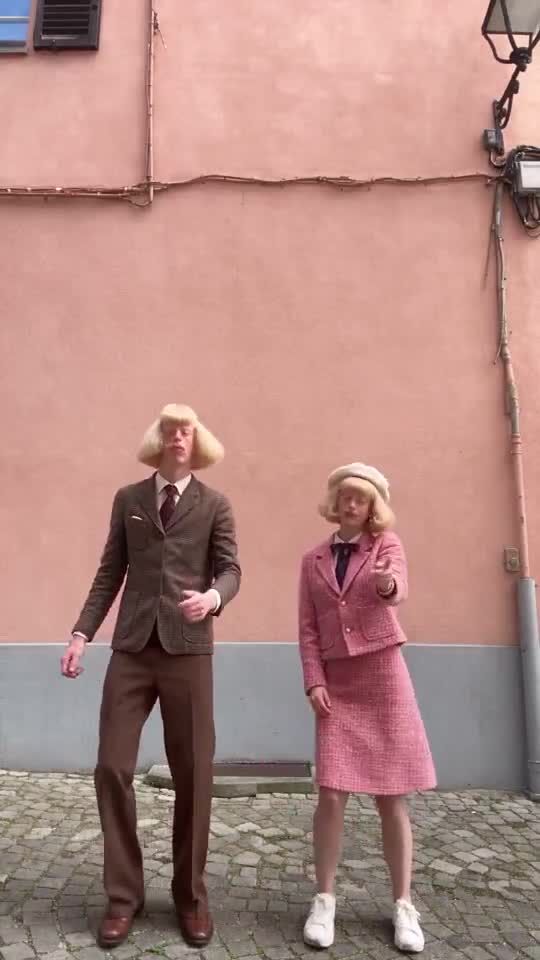
01
Start with a Character, not a photo of someone else
A character swap needs someone to swap in. In Character App that is a saved Character: a name, a face, an outfit and a silhouette you drew and kept. Open New Character, describe an original adult in words, or use your own photo, choose a Look and keep the result you like. The Jean Phil playbook and how to create a character from words walk through that first step.
Use an original Character or your own likeness. A real person’s face needs that person’s consent, and public figures are off limits. That is a product rule, and it also keeps your account safe. If you want the look of a famous bit without a famous face, how to make Jean Phil shows how to keep the structure and invent the identity.
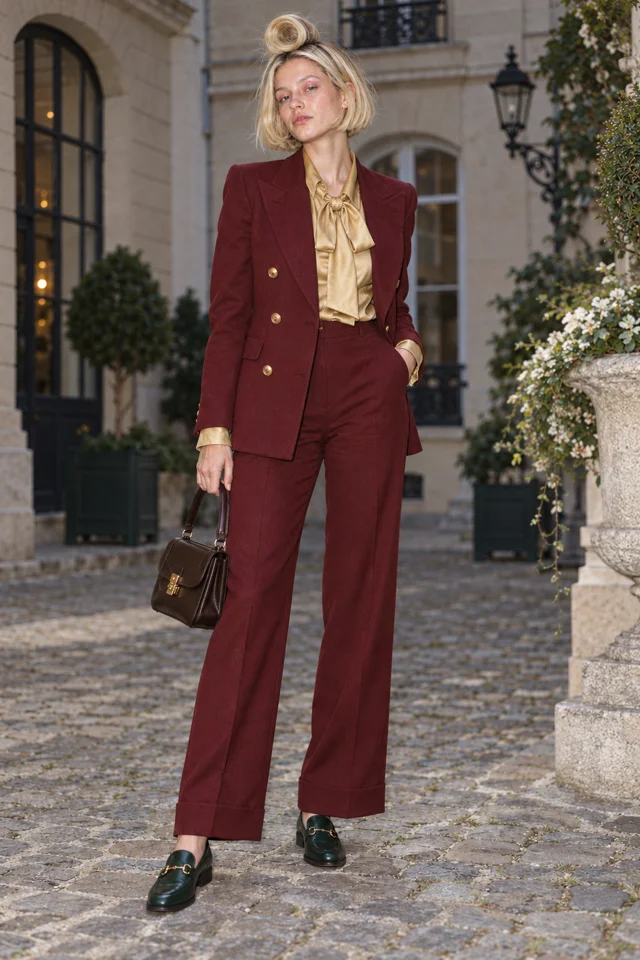
The artwork is our concept example. Your edited brief opens the real Character form; no drawing starts here.
02
Give the swap a face that reads from far away
In a dance clip the Character is small, moving and often seen from a distance. Choose two or three details that survive that: a hair silhouette, one strong colour, one accessory. Lucie Loop is a looped blonde bob and an oxblood suit. Ines Brume is auburn pin curls and moss-green tweed. Either is recognisable as a thumbnail before it moves.
The design formula guide covers the same face, fit and bit idea in more depth. A plain, calm expression is a good default because the dance supplies the movement.
Every entrance is a runway.
Live action selected for this walkthrough. Choose your Look in the app; this inspector keeps the original reference artwork.
03
Keep one clean reference picture
The best input for a swap is one clear picture of your Character: full body or three-quarter, facing the camera, on a plain background. Busy backgrounds and cropped limbs give the engine less to hold on to. If your first Draw is cropped or cluttered, redraw it or use the Character’s turnaround sheet before you spend Credits on a Clip.
Compare the picture with your brief. If the hair, outfit or proportions have drifted, fix that now. A Clip carries whatever the reference shows, so a small mistake here repeats in every take.
Every entrance is a runway.
Live action selected for this walkthrough. Choose your Look in the app; this inspector keeps the original reference artwork.
04
Pick the dance and press Make
Open Star in a clip. It reads “What will your Character star in?”, with a Who stars? chip for your Character. Choose a Template from the catalogue, which includes a Dance family, or drop your own clip. The server measures the clip’s length, and on the default engine it must be 5 to 10 seconds. One person in one continuous shot works best. Use a dance you filmed or have permission to use.
The price shows on the Make button before you press it. On H3 Turbo it is 3 Credits per second, so a 5-second dance is 15 Credits and a 10-second one is 30. The Clip takes roughly 20 to 40 seconds and comes with new sound made to match; the original sound is not kept. Clips need a plan: Starter is $19.99 a month with 800 Credits. A slower Kling engine keeps the original sound and allows longer clips, at a higher price.
CLIP DIRECTION PREVIEW
Give Lucie one clear action.
Keep this direction for Playground. This artwork is a Character reference, not a Clip generated from your text.
Open Playground ↗05
Check the take, then give the Character a world
Watch the result with the sound on. Is it the same Character from your reference, with the same hair, suit and face? Does the dance still read? Keep the take that holds and make another if it does not. Every take is a paid Clip, so change one thing at a time: the Character picture, the dance or the length.
One dance is a moment. A recurring Character is a series. Add a rival and a place in a World, and the same Character can star in the next dance, a boxing bit or a walk-in. Plan recurring Clips shows how to keep the behaviour and change the situation, and rivals shows how to give your Character someone to dance against.
SCENE 1An entrance
Lucie Loop makes a perfectly serious entrance.
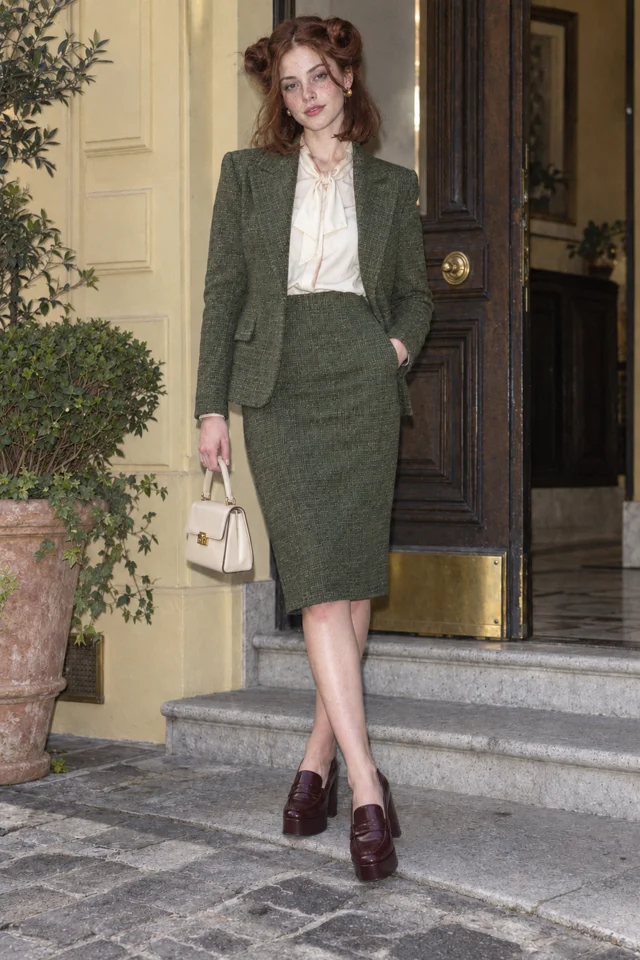 SCENE 2
A complication
Ines Brume has already claimed the good chair.
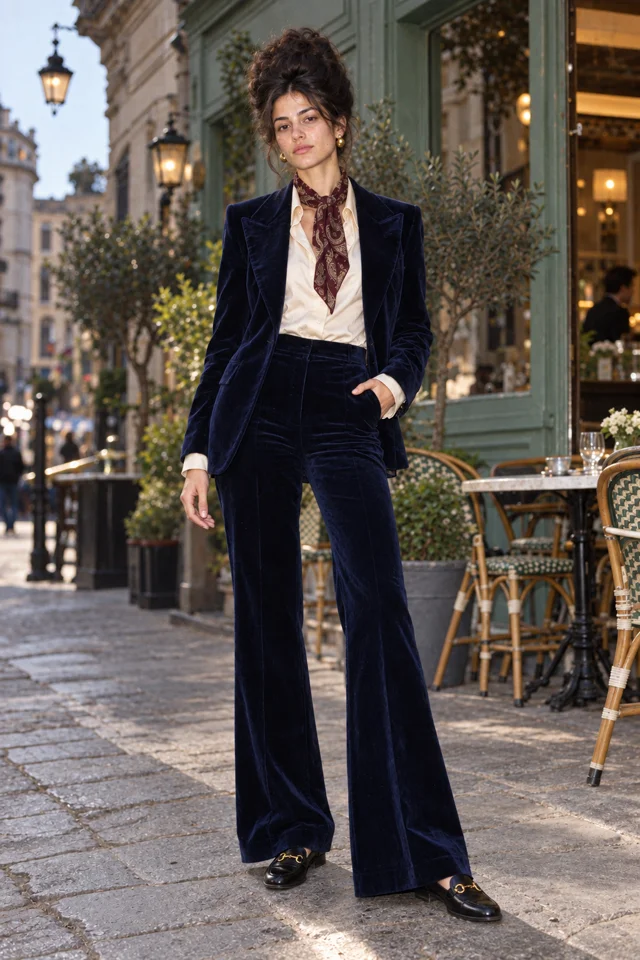 SCENE 3
A next episode
Sofia Velluto turns a small errand into a new episode.
Original artwork and illustrative Scene cards · not generated Film frames.
Start my World ↗06
Post it honestly and keep going
Export the Clip and post it. A Character swap is a realistic AI-made video, so say that in the caption and use the platform’s AI label where it has one. If a brand pays you or sends product, say that too. How to make an AI influencer has the full disclosure checklist, and the AI influencer page covers keeping one face across a whole feed.
Credit the people whose work you borrowed. If your dance idea came from a public reel, link it in the caption. The original performers, such as Jean and Clarabelle, made the moment; your Character brings a different identity to it.
Keep it sharp.
- Using a real person’s face without their consent, or a public figure. Use an original Character or your own likeness.
- Uploading a long or crowded clip. Pick 5 to 10 seconds with one person in one continuous shot.
- Starting from a cropped or cluttered reference picture, then paying for several takes that all inherit the problem.
- Changing the Character, the dance and the length at once, so you cannot tell which change helped.
- Posting a realistic swap without saying it is AI-made.
Things you’re wondering.
How do I put my character in a dance video?
Open Star in a clip in Character App, pick a dance Template or drop your own 5 to 10 second clip, choose which Character stars and press Make. The price shows on the button first.
What does an AI character swap dance video cost?
On the default H3 Turbo engine it is 3 Credits per second: 15 Credits for 5 seconds, 30 for 10. Clips need a plan, and Starter is $19.99 a month with 800 Credits. The exact price shows before you press Make.
Can I use my own face?
Yes. Your own likeness or an original adult Character are the intended inputs. Someone else’s face needs their consent, and public figures are not allowed.
Is this how the Jean Phil dance videos are made?
We do not know how they were made, and we do not say. The Jean Phil reels are credited to @jean_philanthrope, @clarabelle.paris and @arthur_teddington. This guide uses the same idea of a recognisable dance with a different character in it, with Star in a clip. Our Jean Phil page explains the format.
Does the original sound stay?
Not on the default H3 Turbo engine, which makes new sound to match the Clip. The slower Kling motion engine keeps the original sound and allows longer clips.
Can an AI agent do this for me?
Yes. The Character App MCP connector has put_me_in_video for starting from a clip and make_motion_clip for the paid step. The agent shows the exact quote and waits for your approval before spending Credits.
Explore the app.
- APP · Open Star in a clip ↗
- PLAYBOOK · The Jean Phil playbook ↗
- FEATURE · Make an AI influencer ↗