AI script to video: paste a scene, get it back as filmed Scenes
Paste a scene from your script and the AI Director turns it into a Story: your Characters cast, the action split into Scenes, each Scene drawn as a picture first, then filmed as a Clip. The Clips play in order, and the Scenes of one Story make an Episode of your show. Free: your idea as a World with its first Story in pictures. A plan films every Scene.
Free: your idea as a World with its first Story in pictures. A plan films every Scene.
By the Character App team · Updated November 2026 · Prices from the live price list
Paste a scene
- The box sends
- Up to 200 characters, as typed
- A script becomes
- Scenes, then Clips, then an Episode
- Each Scene is drawn first
- 6 Credits on Nano Banana 2.1
- A filmed 5-second Scene
- 25 to 50 Credits, by model
- Free
- Free: your idea as a World with its first Story in pictures. A plan films every Scene.
What a script becomes in the Studio
- 1
Paste one scene
Start with the scene that opens your story: where it happens, who is there, what they do, and a line someone says. Screenplay format and plain sentences both work.
- 2
Choose your lead
Your script goes into the series premise. Describe the lead separately. Keep the picture that looks right: it is the reference every Scene starts from, so the face holds from the first Scene to the last.
- 3
The AI Director writes the Scenes
It reads your scene as the brief and writes a Story of Scenes, each a few seconds of one action, with your Characters cast. Rewrite a Scene or redraw it before anything is filmed.
- 4
Each Scene is filmed as a Clip
Free: your idea as a World with its first Story in pictures. A plan films every Scene. Each Scene films at the price on its button, 25 to 50 Credits for 5 seconds depending on the model.
- 5
The Clips play in order
A Story plays its Scenes one after another with the same Characters, World and art style. Your next scene becomes the next Story with the same cast, and Episode by Episode the script becomes a show.
| Model | Credits a second | 5-second Scene | 60-second Episode | In dollars |
|---|---|---|---|---|
| HG H3 Max | 5 | 25 Credits | 372 Credits | about $9.30 |
| H3 Turbo | 10 | 50 Credits | 672 Credits | about $16.80 |
| H3 Max | 10 | 50 Credits | 672 Credits | about $16.80 |
One filmed Scene and one 60-second Episode on each model that films Stories, 2026-11-15, from the Studio’s price list. The Episode price includes the picture each Scene is drawn from. Dollars at Starter’s rate.
The sample scene, from the box to its first Scenes
The Vauclair sample above, pressed into the box, and the Story it becomes in the Studio: two Scenes with Elodie Sterling and Lucien, each drawn before anything is filmed.
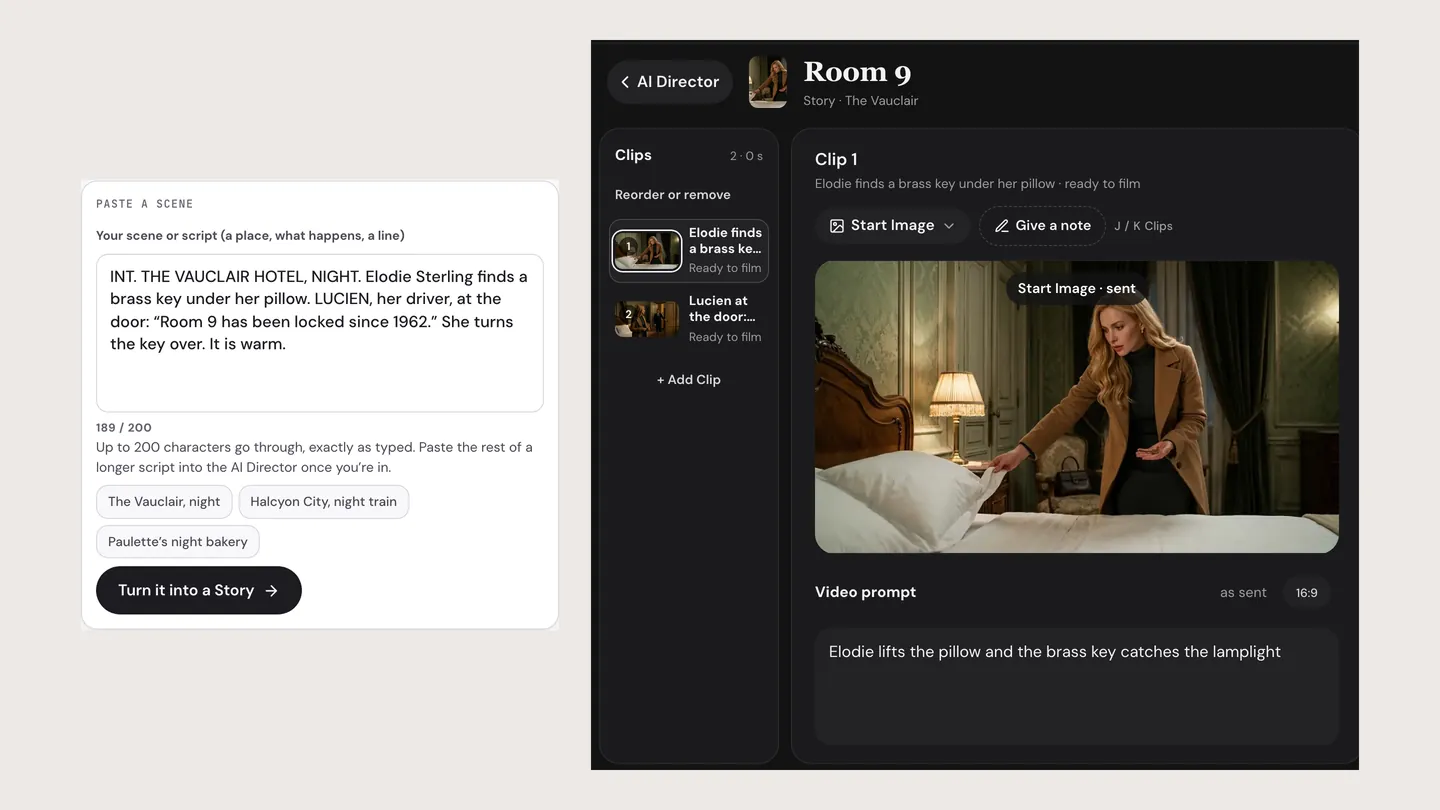 The box, then the Story editor
INT. THE VAUCLAIR HOTEL, NIGHT. Elodie Sterling finds a brass key under her pillow. LUCIEN, her driver, at the door: “Room 9 has been locked since 1962.” She turns the key over. It is warm.
Screen captures: this page’s box, and the Studio’s Story editor with the two Scenes below as its pictures.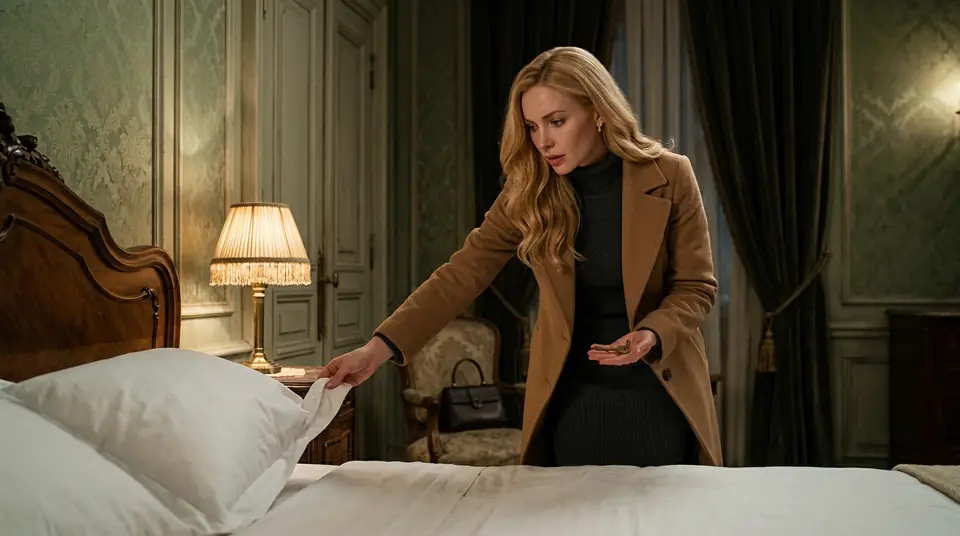 Scene 1: the key under the pillow
Elodie finds a brass key under her pillow.
Example Scene drawn with Nano Banana 2.1.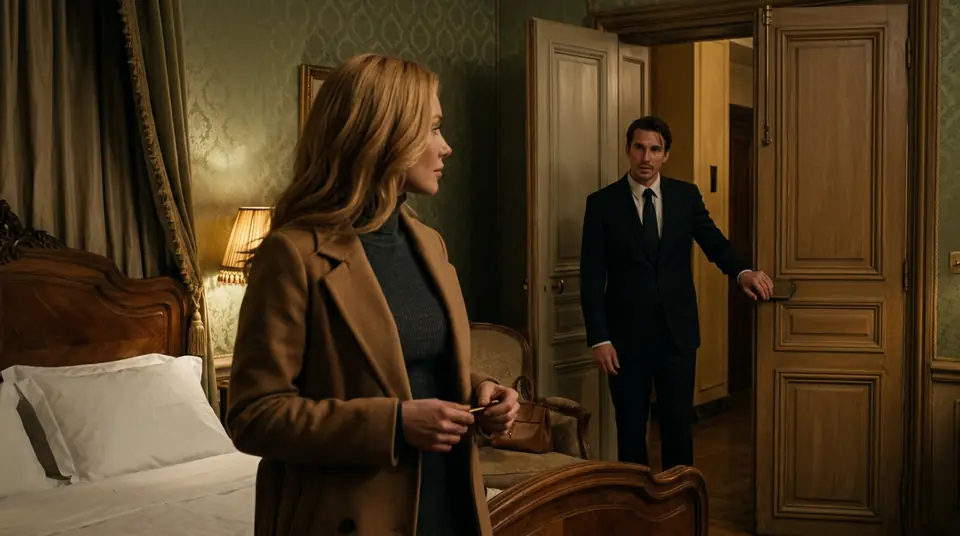 Scene 2: Lucien at the door
Lucien, at the door, says Room 9 has been locked since 1962.
Example Scene drawn with Nano Banana 2.1.
What to paste: screenplay format or plain sentences
A scene needs three things: where it happens, who is in it, and what changes. A scene heading (INT. HOTEL, NIGHT) gives the place, an action line gives the event, and a name in capitals before a line says who speaks it. Plain sentences carry the same three things.
Write what a camera can see and hear: a key turning over, a door left open, a line said out loud. A thought or a memory has nothing to film until it becomes an action.
Name each Character the same way every time
Elodie in one line and Ms Sterling in the next reads as two people. Pick one name and keep it.
One scene at a time
The box sends up to 200 characters, because that is the most a new account’s first box in the Studio keeps. Start with the opening scene; the rest goes into the AI Director once you’re in.
A whole screenplay, scene after scene
No model films a script in one Clip: the longest single Clip in the Studio is 30 seconds. A long script is many Scenes, and a minute is about 12 five-second Scenes. Paste the next scene into the AI Director and it becomes the next Story in the same World, with the same Characters.
Test the opening scene before you film the rest. A Scene filmed again costs again, so a scene that reads well on the page is cheaper than one fixed in retakes.
Dialogue and voices
On HG H3 Max, H3 Turbo and H3 Max, a Character’s saved voice can speak its lines in a filmed Scene, so one Character sounds the same in every scene of the script. Check each Scene’s words before you film it: the AI Director writes the Scenes from your scene, and you can change any line first.
A script can also be told over pictures. A Slideshow Story is a narrator, music and words on screen over drawn slides: 40 Credits with a plan for up to 5 slides.
Whose script it can be
Your own script, or one you have the rights to. Characters are always adults, and a real person’s face needs that person’s OK. Free: your idea as a World with its first Story in pictures. A plan films every Scene.
What a plan makes
Plans are monthly and cancel any time, with no watermark and commercial use under the Terms. One pool of Credits makes any of these.
An HD H3 video is a 5-second Clip on HG H3 Max, the default model; a Seedance 2.5 video is 5 seconds at 480p; a Slideshow Story is 5 slides. Plans & Credits
Questions, answered
Can AI turn a script into a video?
Yes, scene by scene. Paste a scene and the AI Director writes it as a Story of Scenes with your Characters cast; each Scene is drawn, then filmed as a Clip, and the Clips play in order.
How long a script can I paste?
The box on this page sends up to 200 characters, because the Studio’s first box keeps that many on a new account. It counts as you type and never sends more. Once you’re in, paste each next scene into the AI Director.
Is there a free AI script to video generator?
Free: your idea as a World with its first Story in pictures. A plan films every Scene. After that each Scene is filmed at the price on its button: 25 to 50 Credits for 5 seconds, depending on the model.
Does it keep my dialogue word for word?
The AI Director writes the Scenes from your scene as its brief, so read each Scene before you film it. You can change any line or any Scene first.
Can AI make a movie from a screenplay?
As Scenes and Episodes, yes. One Clip runs 30 seconds at most, so a long script is many Scenes in a row: a minute is about 12 Scenes, and a feature is a series of Episodes with the same cast.
Make the Character once. Use it everywhere.
Free: your idea as a World with its first Story in pictures. A plan films every Scene.