The Director is a conversation, not a settings page
There are no dials to learn. The Director’s surface is a field and a conversation: you say what should happen — “the heist’s inside man gets cold feet at the worst time” — and it answers with a plan. Tagging Cast members pins who the plan is about.
Because it’s conversational, correction is conversational too. “Not a betrayal — make it fear, not greed” is a valid direction line. You’re arguing with a collaborator about the story, not filling out a settings form.
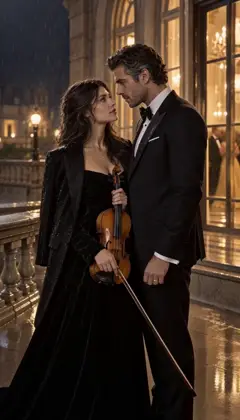
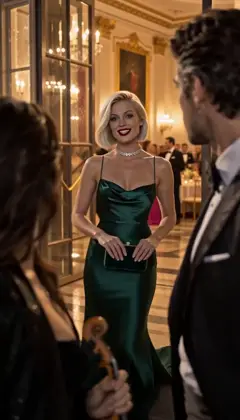
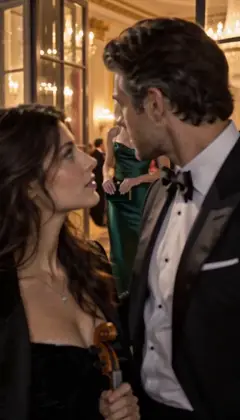
The line it came from: A violinist is booked to play her ex’s engagement party.
 E1The booking
 E2Too close
 E3Your fiancée is getting cold
 E4Encore
Midnight Sonata · one line to the AI Director: it casts the Characters and writes the Story as Scenes; plan each next Episode in one sentence. A fictional sample series made in Character App. One line in — an outline back
Submit the line and the Director drafts the episode’s outline: the shape of what happens, broken into Scenes, before anything is drawn. This is the cheapest moment in production — words cost nothing, so this is where the big changes belong.
Review the outline like a showrunner reading a pitch: does it open where it should, escalate, land? If the answer is no, say which part and why — “the ending should be quieter” — and read the next draft it returns.
Rate Limited · Limit reached. Made in Character App · fictional QA Cast Weak direction vs. strong direction
The line that gets the Scene you imagined is specific about visible behavior. “Make it tense” gives the Director nothing to stage; “she keeps almost saying it, then changes the subject” is something a frame can actually show.
The reliable pattern is who, what, how: who’s in frame, what visibly happens, and how it should feel. “Miles hides the letter when Dev walks in — casual, too fast” beats “suspenseful moment” every single time it’s tried, because the camera has something to aim at.
Rate Limited · We hit the limit. Made with H3 Turbo · founder-owned fictional cast Approved outlines draw their Scenes
When the outline reads right, it fans out into Scenes — each with its own direction line, its own visible Cast, its own place in the running order. “Draw the scenes” is the first spend checkpoint: the key-frame Images every take starts from.
The board fills in as Images finish rendering, one column at a time. A Scene that reads wrong gets its direction edited and redrawn individually — you’re never re-drawing the whole episode just to fix one frame.
Rate Limited · Is it the feature? Made with H3 Turbo · founder-owned fictional cast “Film It” makes a Take
Filming is the priced step, and it prices honestly: the press shows the exact Credit cost before anything happens — no estimate, no surprise. Approve it and the Scene renders into a Take: one candidate Clip you can watch the moment it lands.
A Take is deliberately disposable. It exists to be judged — play it, decide it’s the one, or write sharper direction and film it again. Nobody’s first take is supposed to be the keeper every single time. Want the Director to film for you? Turn on Auto-film, set a Credit cap for the Story, and it films each Scene after it writes it.
Kept takes assemble — direction is saved
Keep a take and it becomes the Episode’s Clip — locked into the sequence in order. The “Direction saved” toast marks the moment the plan stops being a draft and starts being the episode’s permanent record in the World.
Everything the Director touched is filed where it belongs: kept Clips on the Episode, direction on the Scenes, new facts the story revealed into the World’s memory. The next conversation with the Director starts already knowing all of it — the kept take, the cut ones, and why.


Common mistakes
Directing feelings instead of behavior. “Make it emotional” can’t be staged; “she rehearses the sentence twice, then says something else” can. Give the frame something to show.
Cramming the whole episode into one line. The Director works best in passes — outline first, then per-Scene direction — so corrections land where they belong instead of rewriting everything.
Keeping the first take out of politeness. The retake loop is the tool: a take that’s almost right deserves a sharper line and another try, not a place in the Episode.
Forgetting to tag the Cast. Untagged Scenes guess who’s present — tagging the members is how the right faces end up in frame.
Arguing after the spend. The outline stage is free; the Scene Image and Film stages cost. Fix the plan while it’s still words.
Questions
Is the Director a chatbot or a production tool?
Both, in that order: it’s a conversation that ends in a real plan — outline, Scenes, drawn Images, filmed takes. The chat is the interface; the output is production.
What makes a good direction line?
Who, what, how — the Cast members in frame, the visible action, the feel. Specific beats of behavior beat adjectives: “avoids eye contact, pockets the letter” directs better than “suspicious.”
Does the Director remember past Episodes?
It works from the World’s context — the Cast, the Bible, and recent Episode history — so callbacks and consequences can carry forward. It proposes; nothing becomes canon until it lands in the record.
Can I skip the Director and build Scenes myself?
Yes — the Studio’s manual surfaces let you write Scene direction directly. The Director is the fast path and the brainstorming partner, not a required gatekeeper.
What does using the Director cost?
The conversation and the outline are free — words aren’t spend. Drawing Scene Images uses Credits or the daily Lite allowance; filming Clips is the priced step, shown exactly before you approve. With Auto-film on, the Director films up to the Credit cap you set for the Story.