
Understand why consistency is a data problem, not a prompt problem
Most people fight drift by writing longer descriptions — “brown eyes, shoulder-length hair, green jacket” — and it works until it doesn’t, because every scene re-rolls the character from text. The drift isn’t in your wording; it’s in describing the person again at all.
A Cast card replaces the re-description: the character is stored once — face, proportions, costume — and every Scene looks them up instead of re-inventing them. You stop prompting the person and start directing the person.
The line it came from: Three friends, one AI startup, one rate limit.
 MilesFounder
 DevEngineer
 WizProdigy
Rate Limited · one line, and the Cast it drew: three Characters who keep their faces in every Episode. Our own fictional sample series, made in Character App. Create one card per character with a real reference
Each character gets exactly one card, built from one reference: a photo, or a single approved take you liked. That reference is the ground truth — the Studio measures every future frame of them against it.
Resist the urge to build cards from your favorite three renders. Multiple references average into mush; one strong reference gives the card a single face to stay true to. If the first card comes out off, fix the card — don’t spawn a second one.

Milo Fenn · Milo, realistic. Original character made for Character App’s character pages with gpt-image-2.5 and H3 Turbo Give each character one locked identity detail
One detail per character never changes, and it’s what carries recognition at a glance: Priya’s earrings, the dog’s red collar, the ex’s beanie. Pick the thing that stays visible in every costume and every style — jewelry, eyewear, a silhouette feature — and mark it as the locked detail on the card.
The test: could a friend identify your character from a silhouette plus that one detail? If yes, lock it and let everything else flex freely with the episode.

Milo Fenn · character sheet. How a Cast keeps one face on-model in every Scene and Look. Made with gpt-image-2.5; a design reference, not an app export. Reuse the Cast card — never re-describe
This is the habit that makes it all work: in every new Scene, name the character, never describe them. “Priya argues with the supplier” not “a woman with brown eyes and a green jacket argues…” — the moment you re-describe, you’ve re-rolled.
The Cast strip on the side of the Studio is your cast list; pick from it like a director calling actors to set. If a take drifts, the fix is the card, not the prompt — re-describing in the prompt just fights the reference.
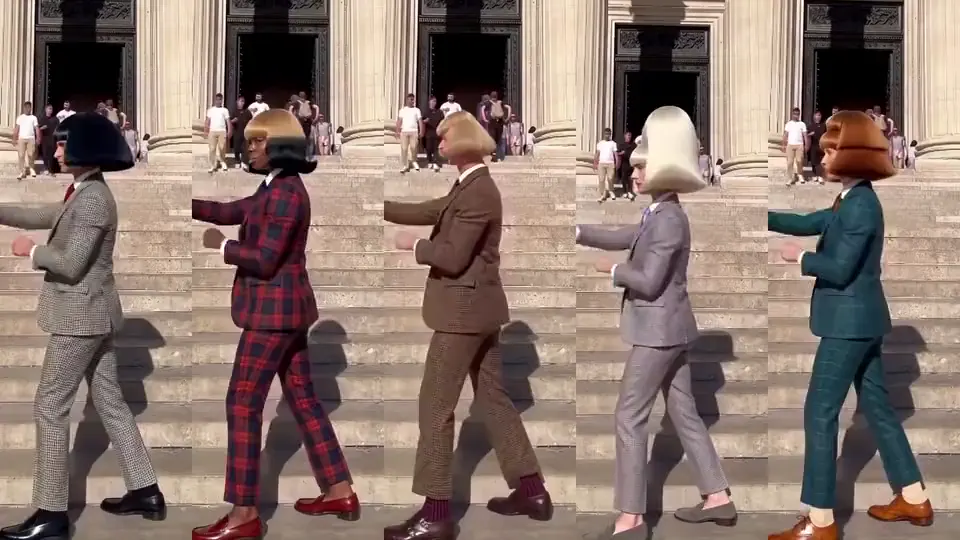
Jean Paul · The whole gang, same move. Made in Character App · H3 Turbo Check for drift every three episodes
Consistency decays quietly — nobody notices frame by frame, then episode nine’s lead is a stranger. So audit on a schedule: line up a recent still against the card’s reference every three episodes and compare in order — the identity detail first, then face shape, then costume.
If you catch drift early it’s a one-card fix. Catch it late and you’re choosing between re-shooting half a season and quietly recasting your own lead — and neither of those is fun.
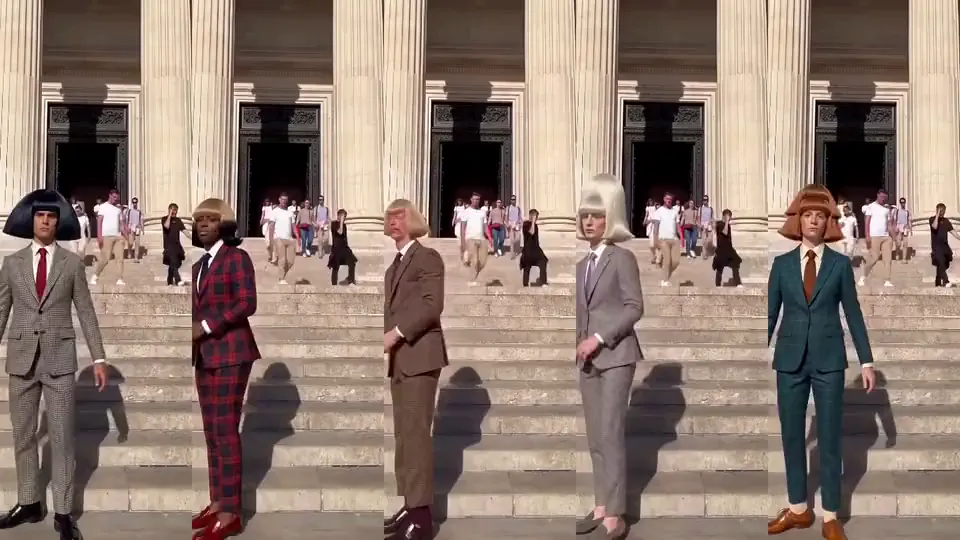
Jean Paul · The whole gang, on the walk. Made in Character App · H3 Turbo Add new characters without breaking the old ones
New cast members enter the same way the first ones did: one card, one reference, one locked detail. The trap is letting a new card borrow identity from an existing one — if your new rival also wears earrings, your audience will confuse the two of them by episode four.
Keep identity details unique across the whole Cast. It’s a small casting rule that pays off every single episode: each silhouette on screen should belong to exactly one person in the Cast.

Milo Fenn · Milo, anime. Original character made for Character App’s character pages with gpt-image-2.5 and H3 Turbo How long it takes — and what it costs
Setup is fifteen minutes once: one card per lead, one reference each, one locked detail. The three-episode drift audit is a minute of looking — cheap insurance for the whole season.
Free: make your Character and its Story as picture-only Slideshows. Real video comes with a plan. No card needed. The free tier covers a Character a day and one World build, and Lite Images draw the Scene stills you audit against. The spend starts when stills become Clips — priced per second, cost shown on the button.
Common mistakes
Re-describing the character in every prompt. Each description is a new roll of the dice — name them and let the card do the work.
Multiple reference images per card. Three favorite renders average into a blur; one strong reference gives the card a single truth.
A locked detail that hides in half your scenes. If it’s under a costume or only visible in close-up, it can’t carry recognition — pick something always on.
Fixing drift in the prompt instead of the card. Prompt patches fight the reference; correct the card once and every Scene follows.
Auditing drift in memory, not side by side. The fix is a real comparison — pull the card’s reference next to a recent still every three episodes, or you won’t see the slide.
Spending Clips to test a card change. Draw a Lite Scene Image on the free meter after every card fix — stills catch drift before motion does.
Questions
Why do AI characters change between scenes?
Because each scene re-invents them from text unless a stored reference exists. A Cast card pins the identity once, so scenes reuse it instead of re-rolling — the drift was never a prompting problem.
Do I need a photo of a real person?
No — one approved take works as a reference too. Photos are the fastest ground truth for real people; invented characters just need a single frame you’re happy to call canon.
What’s a “locked identity detail” exactly?
One always-visible trait that never changes: earrings, glasses, a collar, a silhouette feature. It’s the fastest recognition signal — a viewer should spot the character from it alone.
Can the same character appear in different styles?
Yes — that’s the whole point of storing identity separately from style. The same face can be drawn anime, rendered 3D, or shot live-action-ish; the card keeps it them.
How many characters should a Cast have?
Two to four for a first series — enough for conflict, few enough that every identity detail stays unique. Add more through the same one-card-one-detail rule.
What if my character still drifts after locking the card?
Audit the card itself first — weak or blurry reference images cause most residual drift. Replace the reference with one clean frame, then re-run the scene that drifted.
How much does a consistent Cast cost?
Free: make your Character and its Story as picture-only Slideshows. Real video comes with a plan. A Character a day and Lite stills are on the free meter. Consistency is a habit, not a plan tier; Credits only enter when you make Clips.
Does the Cast survive a style change between seasons?
Yes — identity lives on the card, style lives on the World. Re-skin the World and the same faces translate; that’s the whole point of storing them separately.