Design a robot you can recognise from its shadow alone
Start with the shape, then the one human habit it picked up, then film the Scene where it gets something wrong.
Free: your idea as a Story starring your Character, with Scene 1 filmed. A plan films every Scene.

How to make a robot
Describe your robot in one line: the shape of its body, what it was built for, the material and the wear, and the one human habit it has picked up. character.app draws that Character once and keeps the panels, the eye lights and the dent on the left shoulder the same in every Scene, Episode and Look. Give it a voice that matches the build, a World to work in and a human to misunderstand, and film each Scene as a moving Clip.
Updated · A 5-second Clip on HG H3 Max: about $0.62 (25 Credits) · Web and iPhone
At Starter’s price ($19.99 a month for 800 Credits); our arithmetic.
Looking for the general tool? Start with the AI character creator.
Same Character, any Look
Rhea in 2 Looks: 3D animated, live action. Put Rhea into another World with a different Look and the face, the hair and the wardrobe carry over; only the pen changes.
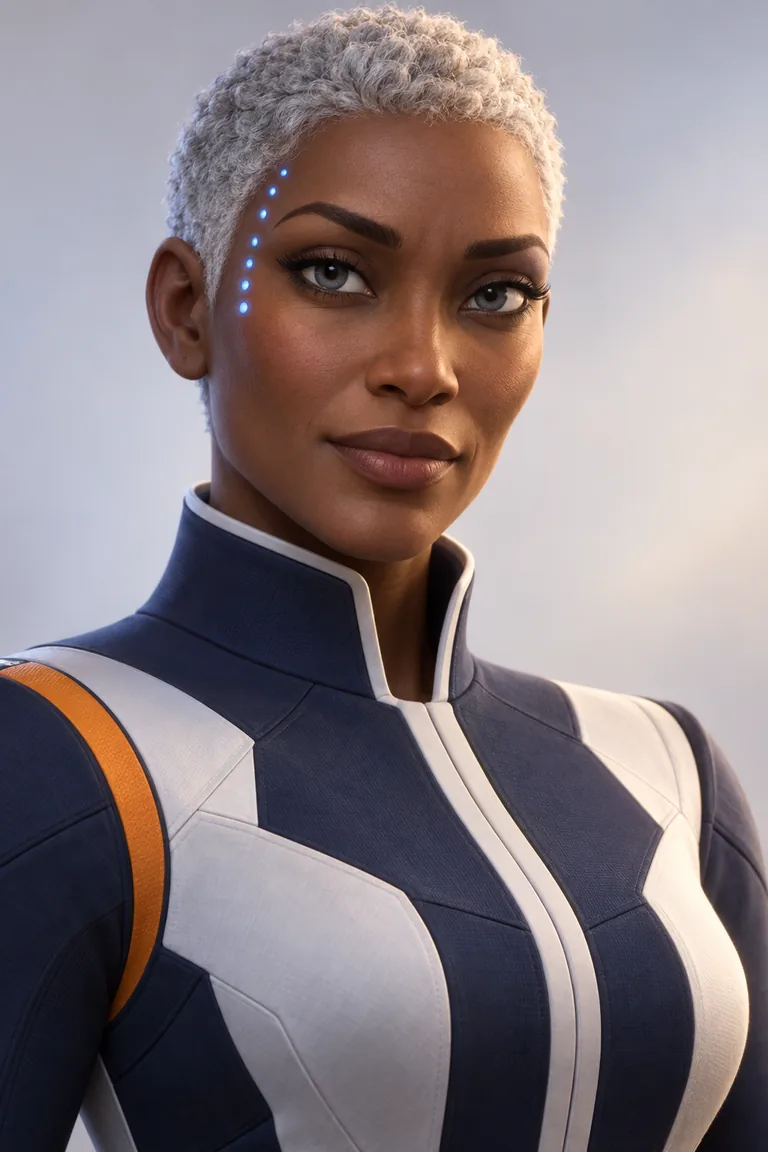
01 3D animated
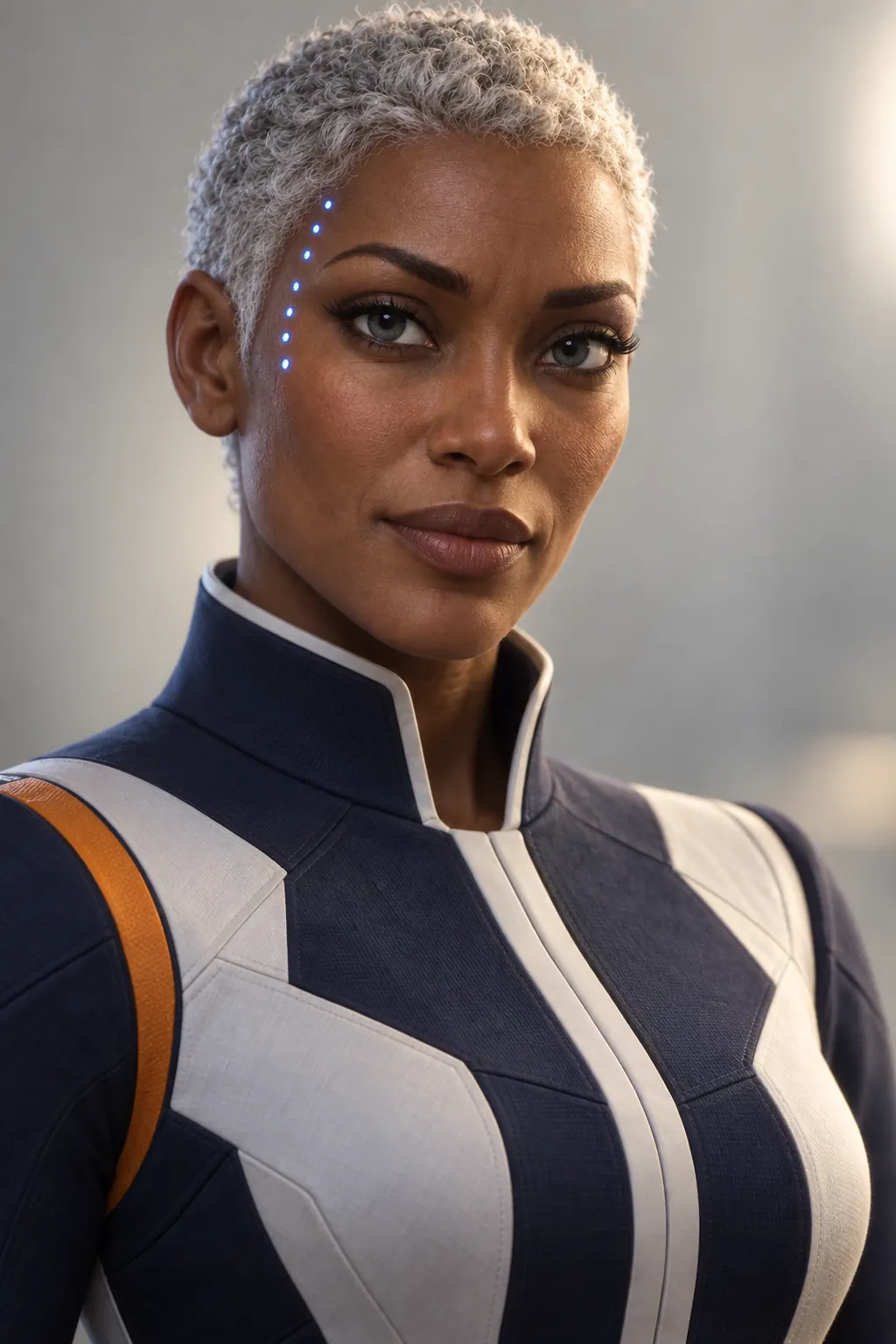
02 Live action
Original character made for character.app’s character pages with gpt-image-2.5. Looks drawn with gpt-image-2.5 from one portrait.
The character sheet
Front, three-quarter and back views plus the expressions the story needs: how Character App keeps Rhea the same in every Clip and every Look.
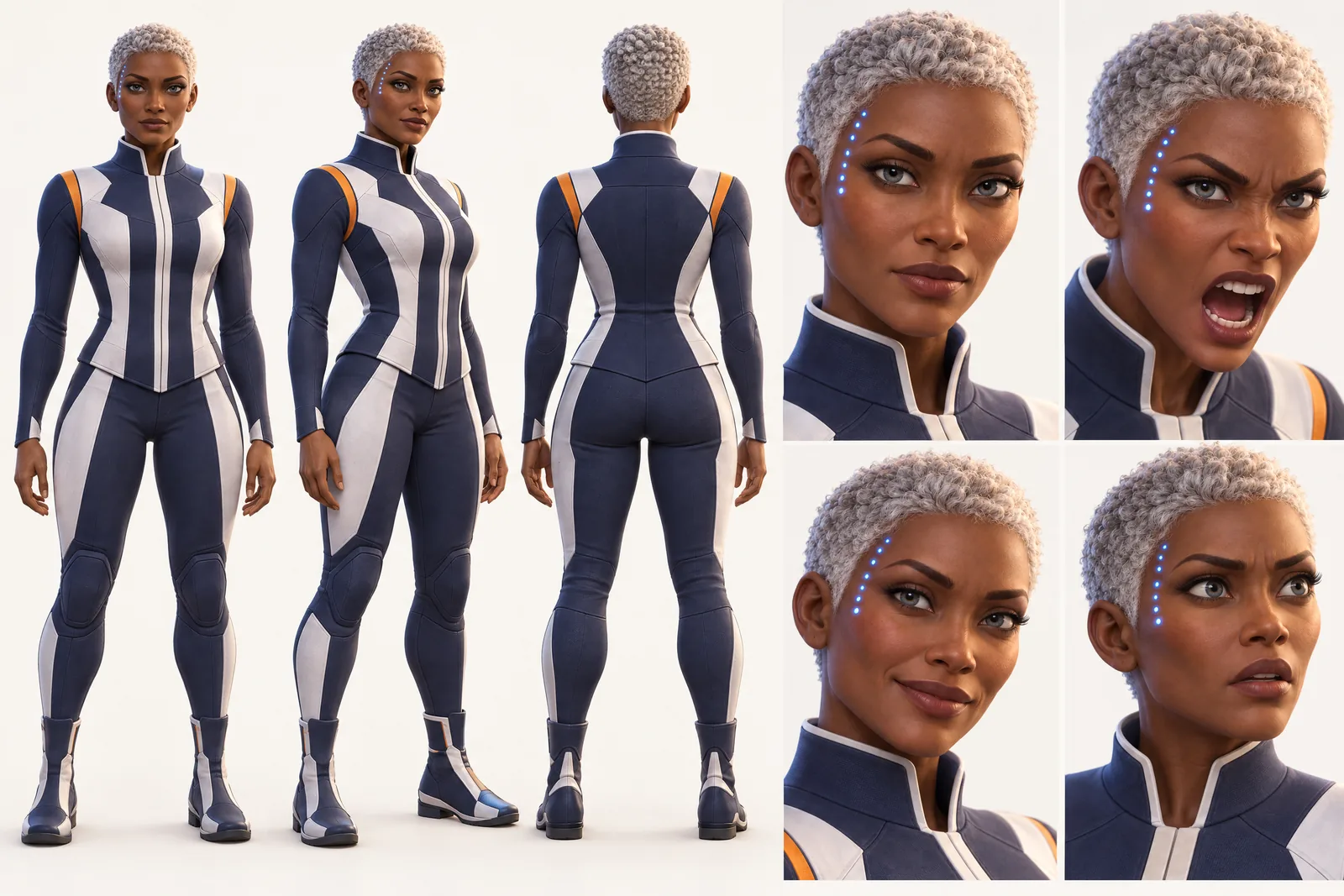
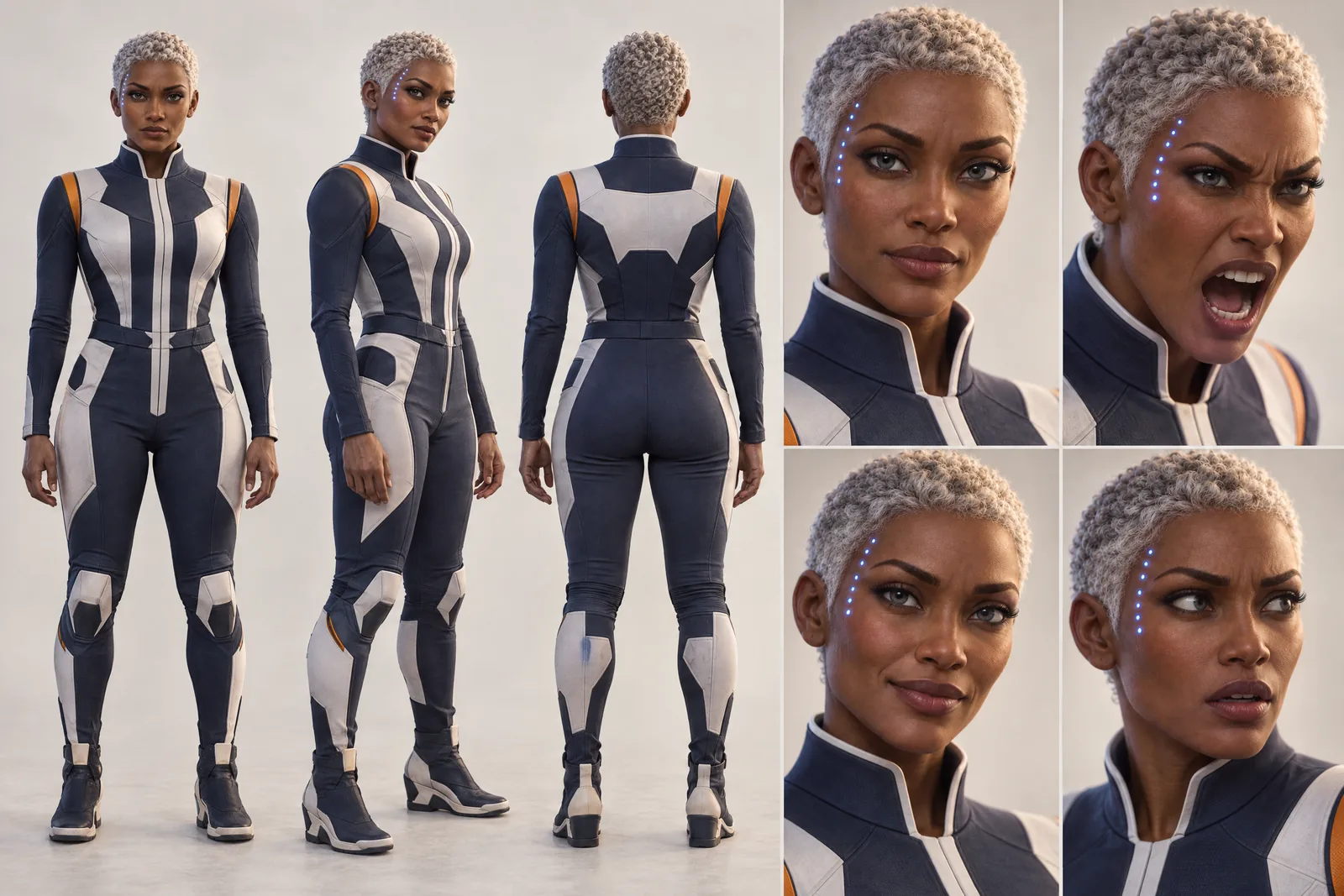 Captain Rhea Okonkwo 3D animated and live action Looks. Original character made for character.app’s character pages with gpt-image-2.5; design references, not app exports.
Silhouette first
Robots are read by outline. Before colour or detail, decide the shape, and keep it in every Scene.
Pick one dominant shape
Barrel, box, tall and thin, wide and low, a sphere on legs. One shape is easier to remember, and to keep on-model, than five.
Proportion tells the job
Big arms for lifting, long fingers for surgery, tracks for rough ground, a head that turns all the way round for a security unit.
One flaw
A dented panel, a flickering eye light, a mismatched replacement arm. The flaw makes it this robot, not a model number.
A voice that fits the build
Small round robots sound wrong with a deep voice, unless that is the joke. Decide whether the voice matches the frame or contradicts it: a huge construction mech with a gentle, careful voice is a Character in one line. Give it a verbal habit as well, such as reporting percentages, apologising to doors or narrating its own actions, and keep it in every Scene.
Robot, android, cyborg
Three different stories.
Robot
Clearly a machine. The audience reads emotion from eye lights, head tilts and posture.
Android
Built to pass as human. The hook is the one thing that gives it away: no blinking, perfect posture, a seam at the jaw.
Cyborg
A person with machine parts. Keep the line between skin and metal in exactly the same place in every Scene.
Same robot in every Scene
A robot whose panel layout changes between shots stops being a Character. character.app builds each Character once and keeps them on-model across Scenes, Episodes and Looks, 3D animated or live action, so the dent is always on the left shoulder. Every Scene is filmed as a moving Clip, so the eye lights actually blink.
8 robot ideas to start from
Ideas to try once your Character is made. Type one in, or your own.
- 01OverqualifiedA surgical android with eight-jointed fingers reassigned to a sandwich shop.
- 02The Night WatchA tall, thin security robot that has guarded an empty museum for forty years and named every painting.
- 03Apology ProtocolA delivery robot that apologises to every door it opens and is terrible at deliveries.
- 04The Spare ArmA construction mech with one mismatched replacement arm that seems to have opinions of its own.
- 05Almost HumanAn android receptionist who passes every test except one: she never blinks.
- 06Retirement PlanAn old farm robot, rusted green, hunting for a new job before it is scrapped.
- 07Ship's MindA spherical ship's robot the size of a melon that is the captain in all but name.
- 08PercentagesA worried assistant robot that reports the odds of everything, including love.
From one line to a Character on film
- 1
Describe the shape and the job
One line for the silhouette, the material, what it was built for and its habit. The Director builds the factory, ship or city around it.
- 2
Add the humans and the other machines
Add the engineer, the rival unit or the family it works for. Every panel and face stays locked from Scene 1.
- 3
Film it learning
Direct each Scene, film the Clips and keep the take where it gets the human thing almost right.
Questions, answered
Still curious? Using your own photo and the guides go deeper.
Will my robot keep the same panels and colours in every Scene?
Yes. Each Character is built once and kept on-model across Scenes, Episodes and Looks, markings, dents and eye lights included.
Can I make an android that looks human?
Yes. Describe the tell that gives it away, such as a jaw seam, unblinking eyes or a glowing pulse at the wrist, and it carries through every Scene.
Can my robot speak?
Yes. Each Character has a voice, and you can pick one that fits the build or deliberately contradicts it.
Can I make a robot in 3D and in a cartoon style?
Yes. Put it in Worlds with different Looks: 3D animated, live action or 2D cartoon. The design underneath stays the same.
Can I make a robot from a famous film?
Design your own. Well-known robots belong to their studios; an original shape, name and voice are yours to build a show on.
What does it cost?
Free: your idea as a Story starring your Character, with Scene 1 filmed. A plan films every Scene. Today's prices are on the pricing page, and each Clip's Credits are on its button before you press.
More character types
Every character type

Make your robot now.
Free: your idea as a Story starring your Character, with Scene 1 filmed. A plan films every Scene.