Put your AI Character in any video with Star in a clip
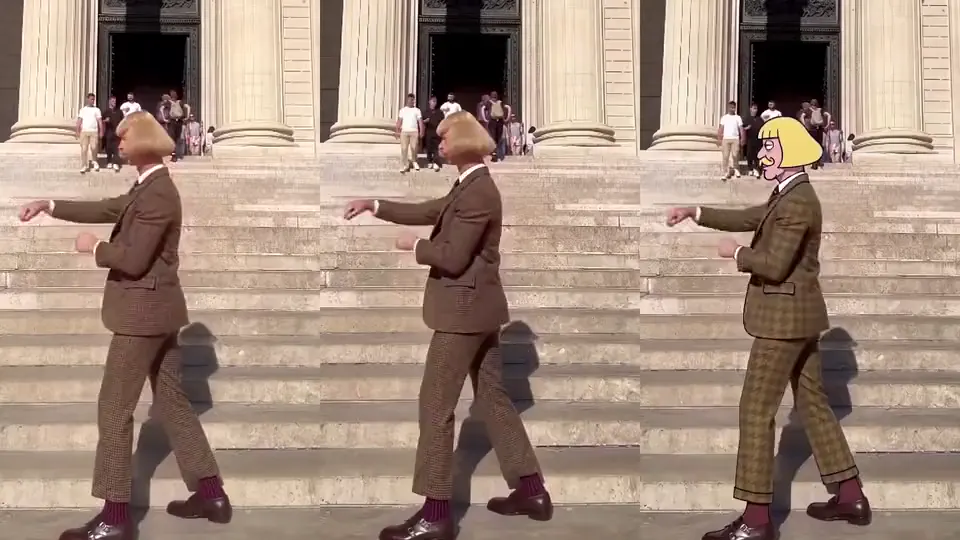
Star in a clip puts your saved Character into a video you filmed. Upload 5 to 30 seconds in 9:16, 1:1 or 16:9, or pick a template, tap who your Character replaces, and it takes the lead with the same moves and camera. On Wan 3.0, the default, a 10-second take is 200 Credits. It needs a plan.
Free: make your Character and its Story as picture-only Slideshows. Real video comes with a plan.
Updated November 2026 · Prices from the live price list
 Your clip
 Your Character
- Clip
- 5-30 s, 9:16, 1:1 or 16:9
- Default engine
- Wan 3.0, 20 Credits a second
- A 10-second take
- 200 Credits on Wan 3.0
- iPhone and agents
- H3 Turbo, 5 Credits a second
- Needs
- A plan and the rights to the clip
How Star in a clip works
- 1
Pick the clip
Upload a clip of 5 to 30 seconds, vertical, square or wide, or pick a template from the catalogue. Use a clip you filmed or have the rights to.
- 2
Tap who stars
If several people are in the clip, tap the one your Character replaces. Seated and upper-body shots work too.
- 3
Press Make
Your Character takes the lead with the clip’s moves and camera. A take is priced at the clip’s full length, and the price is on the button.
- 4
Customize prompt for another take
Change the outfit, the place or the props in plain words, several at once, as a new take with its own price. There is no free retake.
| Engine | Credits a second | 10-second take | 30-second take |
|---|---|---|---|
| Wan 3.0 (The default on the web) | 20 | 200 Credits | 600 Credits |
| Wan 3.0 Prime (Faster) | 30 | 300 Credits | 900 Credits |
| H3 Turbo (iPhone and agents) | 5 | 50 Credits | 150 Credits |
Star in a clip engines. Credits per second, read from the price registry; a take is priced at the clip’s full length.
Engines and prices
Wan 3.0 is the default on the web. Making a Clip on Wan 3.0 and starring in a clip on Wan 3.0 are different jobs with different prices: a Clip is 12 Credits a second, Star in a clip is 20, because the edit reads your clip as well as writing the new one.
Your Character keeps going after the clip
A swap app gives you one video. Here the Character that starred in your clip is the same saved Character you can put in a Slideshow Story, a Clip on another model or a whole Episode of a series. Star in a clip is often the first post of a Character people then follow.
The rules
Use clips you filmed or have the rights to, with people who agree to AI processing. Your Character can be an original or your own likeness; someone else’s face needs their permission, and identifiable public figures are not allowed. Character App is for creators 17 and older.
Free: make your Character and its Story as picture-only Slideshows. Real video comes with a plan.
What a plan makes
Plans are monthly and cancel any time, with no watermark and commercial use under the Terms. One pool of Credits makes any of these.
An HD H3 video is a 5-second H3 Turbo Clip; a Seedance 2.5 video is 5 seconds at 480p; a Slideshow Story is 5 slides. Plans & Credits
Questions, answered
How do I put myself in a video with AI?
Make a Character from your own photo, then open Star in a clip, upload the clip and tap the person your Character replaces. Your Character takes the lead with the same moves and camera.
How much does a Star in a clip take cost?
On Wan 3.0, the default, 20 Credits a second: a 10-second take is 200 Credits and 30 seconds is 600. On H3 Turbo it is 5 a second, so 30 seconds is 150. The price is on the button before you press.
Can I use a dance from TikTok?
Only a clip you filmed or have the rights to, with people who agree to AI processing. Film the dance yourself, or start from a template in the catalogue.
Does Star in a clip work on iPhone?
Yes. The iPhone app and AI agents film Star in a clip on H3 Turbo at 5 Credits a second; the web also offers Wan 3.0 and Wan 3.0 Prime.
Make the Character once. Use it everywhere.
Free: make your Character and its Story as picture-only Slideshows. Real video comes with a plan.