Build a villain worth a whole season
Give them a silhouette, a calm voice and one terrible idea — then film them tipping over the king, Scene after Scene.
Continue with the free Studio · one World build, one Character a day, 4 Lite Images a day
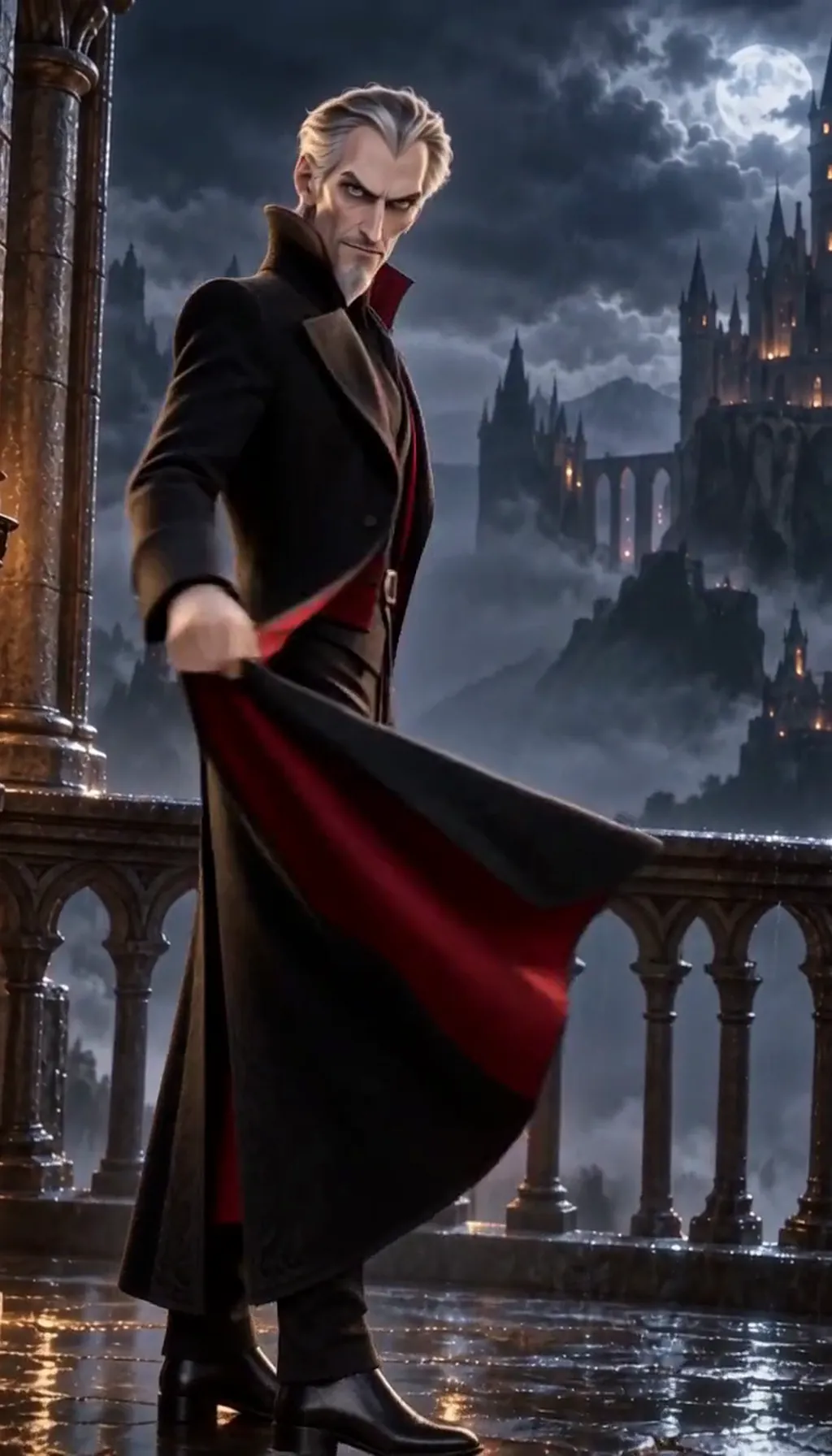
How to make a villain
Describe your villain in one line — how they look, what they want, why they think they are right — or start from your own photo. Character App builds that Character once and keeps the same face, coat and ring in every Scene, Episode and Look, from 3D animated to graphic-novel ink, then films them as moving Clips rather than a single portrait. Put them in a World against your hero, add henchmen to the Cast and direct each confrontation Scene by Scene. Start in the free Studio.
Updated September 2026 · Free to start · Web and iPhone
Looking for the general tool? Start with the AI character creator.
Same Character, any Look
Silas in 2 Looks: 3D animated, graphic-novel ink. Put Silas into another World with a different Look and the face, the hair and the wardrobe carry over; only the pen changes.
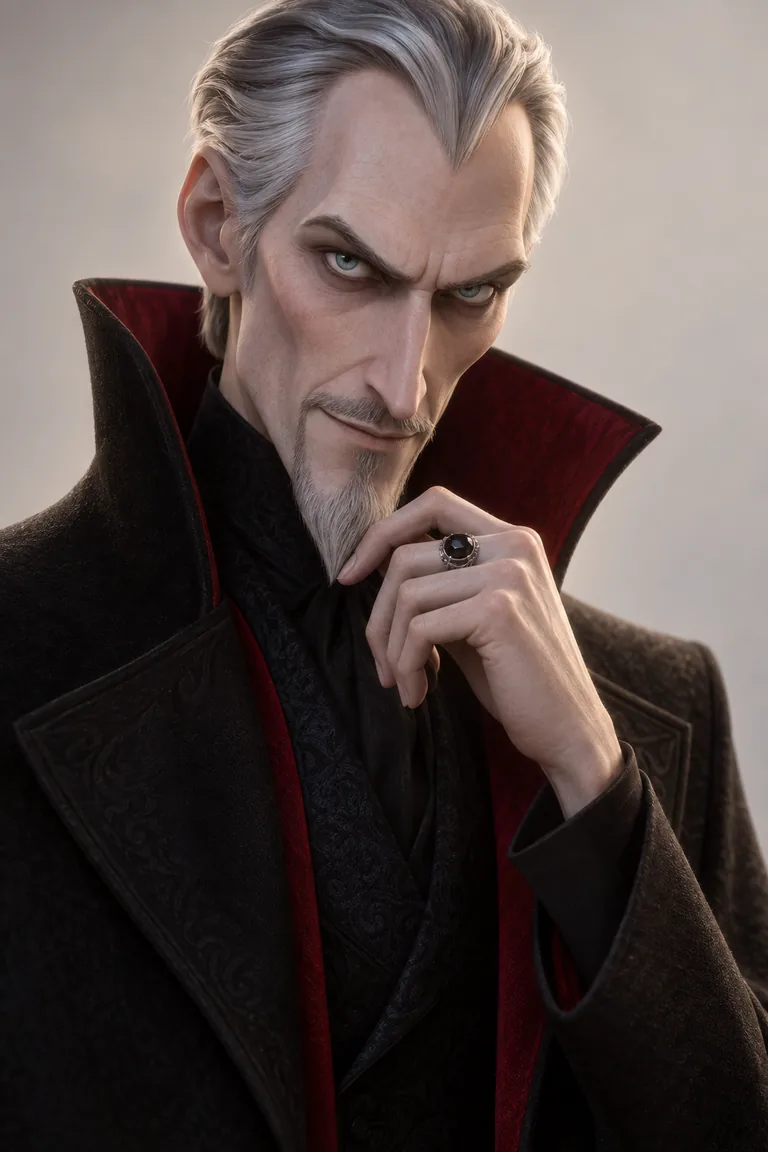
01 3D animated
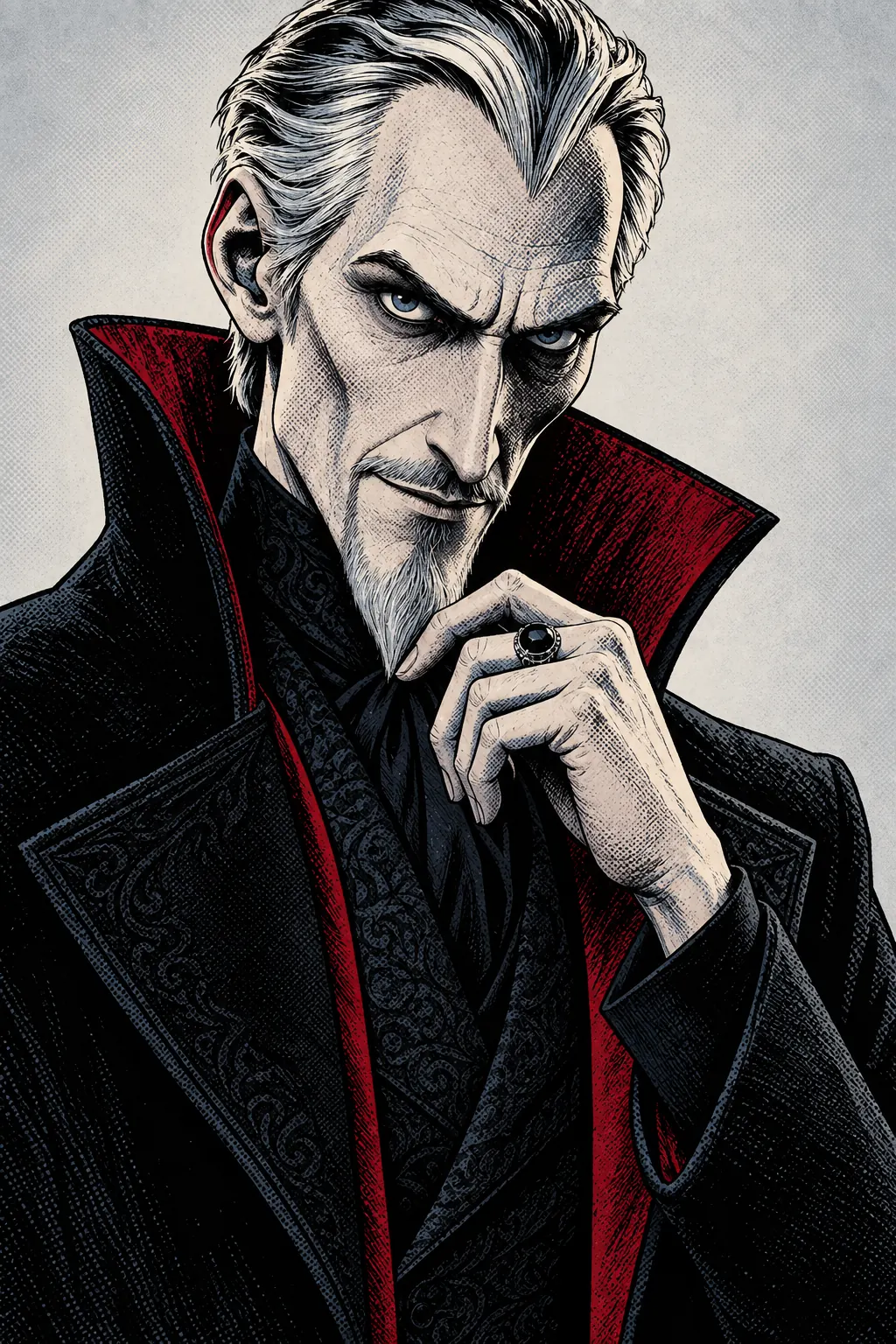
02 Graphic-novel ink
Original character made for this page with gpt-image-2.5. Looks drawn with gpt-image-2.5 from one portrait.
The character sheet
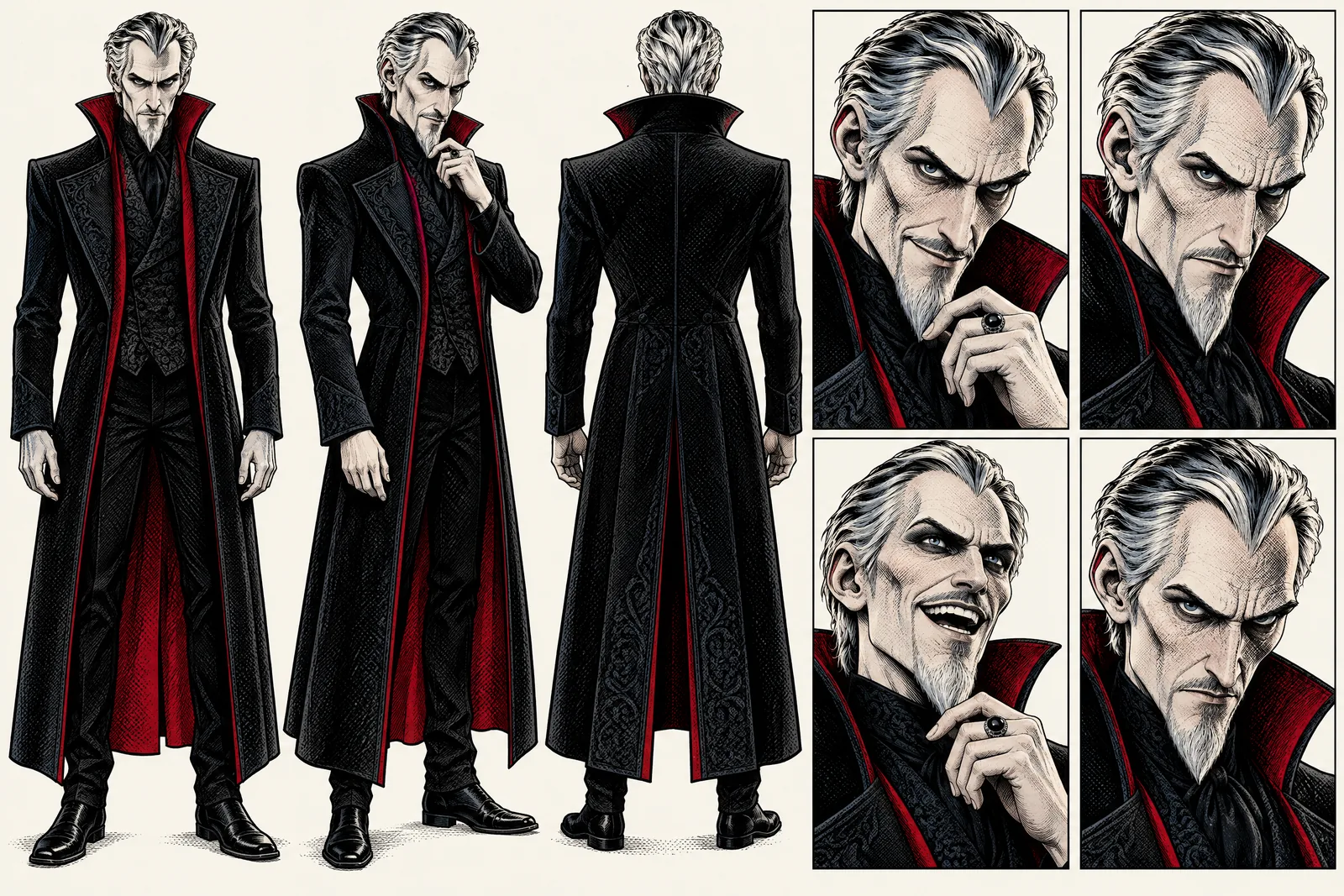
Before Silas is in a single Scene, there is a sheet: front, three-quarter and back views, plus the expressions the story will need. It is how we design a Character and how Character App keeps Silas consistent from Clip to Clip, in every Look.
It is not a download. You never manage a reference sheet yourself, and the app does not export a turnaround file; the Cast keeps the Character on-model in the Scenes you direct.
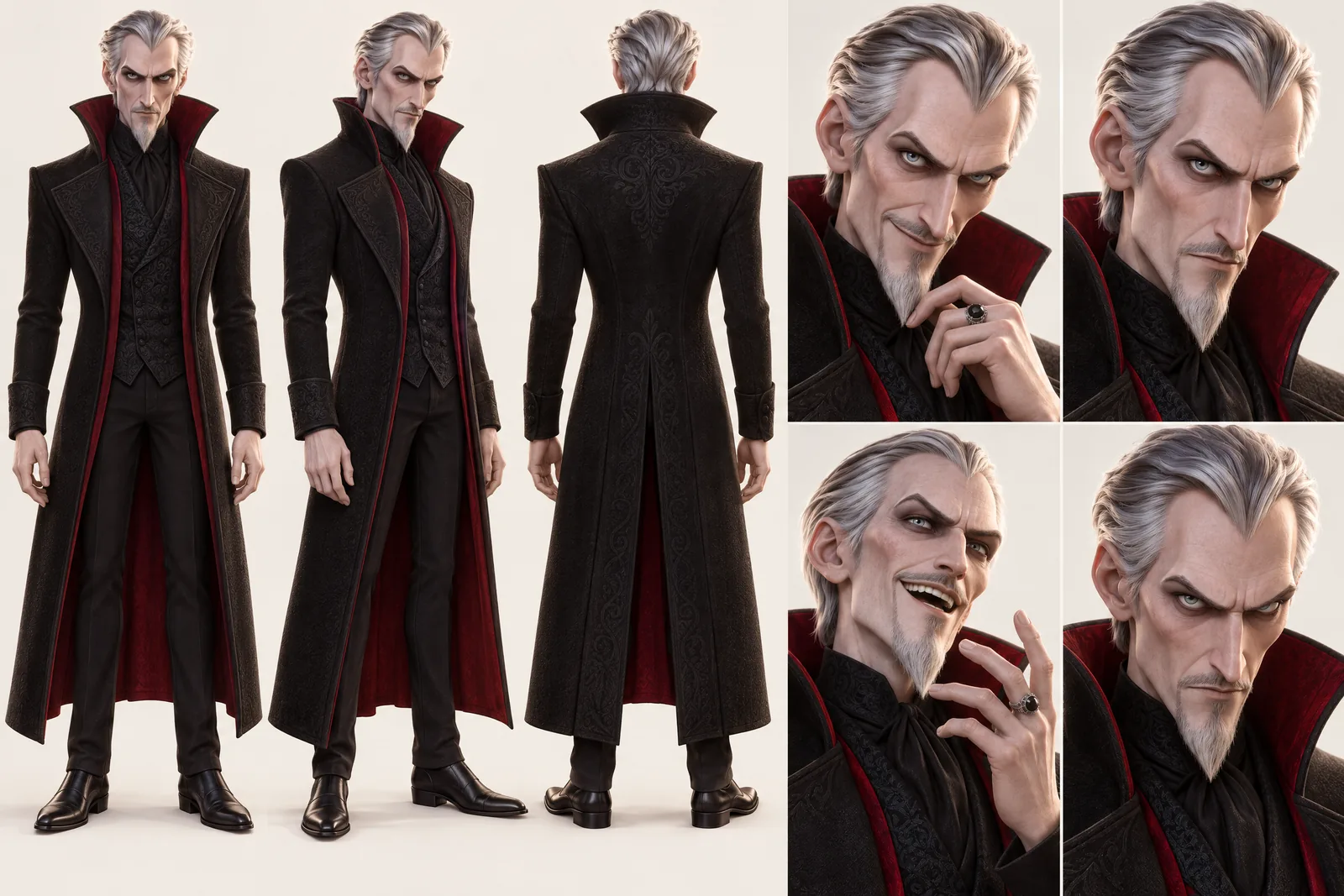
Silas lives in your Characters
Every Character you make keeps its Looks in one place, one for each World’s Look. Use Silas in a new World and the Cast brings the same face into that World’s Look, in every Scene and Clip.
Illustration of the Characters screen, recreated with Silas Grieve’s Images. Original character made for this page with gpt-image-2.5.
What makes a villain memorable
Great villains are simple to draw and hard to forget. Loud is easy; calm is scarier.
A silhouette you could spot in the dark
Tall, narrow, a high collar with a crimson lining, a sharp widow's peak. When the villain enters a wide shot, the shape should do the talking.
One object they never put down
A silver ring with a black stone, a glowing vial, a chess piece. Props become threats when they come back.
A reason they believe
The villain thinks they are the hero of their own story. Give them a want that almost makes sense.
Kinds of villain
Pick the shape of the threat.
The mastermind
Always three moves ahead. Speaks softly, never raises a hand, never needs to.
The rival
Wants what the hero wants and is better at getting it. Great for vertical drama.
The crime boss
A kind grandfather at dinner, something else after. See the horror and mystery page for suspects.
Same menace in every Scene
Most villain makers give you one poster and stop. Menace builds over time: the audience has to recognise the villain instantly when they appear at the edge of a frame in Episode 5. Character App builds each Character once — from a description or your own photo — and keeps them on-model across every Scene, Episode and Look. Film the chess game in 3D animated, the lab in graphic-novel ink; it is the same widow's peak. Every Scene is a Clip, so the vial actually glows.
Dark, not graphic
Villains can be truly frightening: threats, betrayals, schemes. Graphic violence and gore are against the content policy, so the camera cuts away and the dread does the work. Want your friend to play the villain? Only with their permission — the content policy requires the person in the photo or their written consent — and never a public figure.
8 villain ideas to start from
Press one and it lands in the idea box. Change a word or keep it; the Director takes it from there.
- 01CheckmateA silver-haired chess master tips over the king. You never saw him move.Use this idea
- 02The Kind LandlordThe landlord fixes everything overnight. Nobody has ever seen him arrive.Use this idea
- 03Storm BalconyLightning over the castle, a coat sweeping round, a smile the hero will remember.Use this idea
- 04The Green VialAn alchemist's cure works perfectly, for exactly one week.Use this idea
- 05The UnderstudyShe has learned every lead role in the theatre. The leads keep having accidents.Use this idea
- 06Mayor of NowhereA charming mayor runs a town that doesn't appear on any map.Use this idea
- 07The Good TwinEveryone assumes the other twin is the dangerous one. That's the plan.Use this idea
- 08The CollectorHe collects rare things. This year, he's collecting the hero's friends.Use this idea
From one line to a Character on film
- 1
Describe the villain
One line: the look, the want and the belief. Character App reads it and sketches the lair, the city or the castle it lives in.
- 2
Set them against a hero
Add your hero and the henchmen from descriptions or your own photo. Every face stays locked from the first Scene.
- 3
Film the confrontations
Direct each Scene, make the Clips and keep the take where the smile lands. The next Episode, they are one move closer.
Questions, answered
Still curious? Using your own photo and the guides go deeper.
Can I design an original supervillain, not an existing one?
Yes, and only original ones. Existing villains belong to their creators, so design your own powers, costume and plan.
Does the villain stay the same across every Scene and Episode?
Yes. Each Character is built once and kept on-model across Scenes, Episodes and Looks — that's what lets menace build over a season.
Can I put my villain against a hero I already made?
Yes. Add both to the same World's Cast and film them in the same Scenes; they stay consistent side by side.
How dark can the villain be?
Frightening, not graphic. Threats and schemes are fine; graphic violence and gore are against the content policy.
Is it a picture or a real filmed Scene?
A filmed Scene. You keep the Character, and every Scene is filmed as a moving Clip.
What does it cost to build a villain?
Currently the free Studio gives you one World build, one Character a day and 4 Lite Images a day. A plan unlocks Clips and Film — Starter is $19.99 a month for 800 Credits — and a 5-second Clip made from an Image on H3 Max Turbo is 15 Credits. The price is on the button before you press.
More character types
Every character type
Your villain starts with one line.
Continue with the free Studio · one World build, one Character a day, 4 Lite Images a day