Make anime fight scenes between your own Characters
Lock each fighter's design once, plan the fight as beats, and film each beat as a short Clip. Then put them together into one Episode.
Free: make your Character and its Story as picture-only Slideshows. Real video comes with a plan.
 Anime
Anime Anime action
 Retro anime
How to make an anime fight scene with AI
Make each fighter a Character, so the face, hair and weapon match in every shot. Plan the fight as beats: the stance, the first clash, the turn, the finisher. The free picture-only Slideshow works as your storyboard. With a plan, film each beat as a short Clip and put the Clips together into an Episode.
Updated November 2026 · Free to start · Web and iPhone
Sample Clips
Real Clips from fictional sample series. Same Cast from shot to shot.
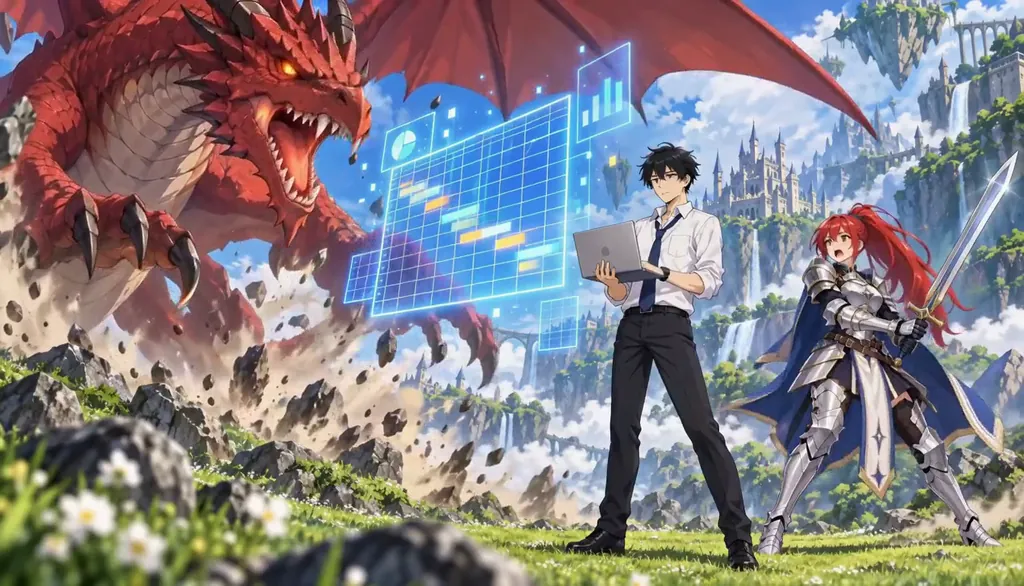
Summoned With Spreadsheets Resized
Example from our house series Summoned With Spreadsheets, not a fight scene. Made with H3 Turbo, the default Clip model in Character App · fictional sample series
Lock the fighters first
Every good AI fight starts with the same advice: fix each fighter's design before the first punch. That is exactly what a saved Character is. Describe the fighter once, weapon included, keep the version you like, and the scar, the sleeve and the sword stay put in every shot.
A fight is beats, not one long take
Clips are a few seconds each, so a fight is built the way anime builds it anyway: a sequence of short, strong shots.
The stance
Both fighters, rain or wind, nobody moving. One wide shot that tells you who is scared.
The first clash
One strike, one block. Keep the take where the impact lands hardest.
The turn
The weaker fighter finds an opening, or remembers something. A close-up on the face.
The finisher
The last move and the moment after it. Silence is allowed.
Storyboard it free, film it with a plan
Write the fight as a Story and the AI Director splits it into Scenes. Watch it as a picture-only Slideshow for free to check the beats read. When they do, film each beat as a Clip with a plan and put the Clips together. Want the duel in a samurai setting? See samurai anime.
5 anime fight scene ideas to start from
Press one and it lands in the idea box. Change a word or keep it; the Director takes it from there.
- 01Rooftop RainTwo former partners meet on a rooftop in the rain, and one of them still has the other's sword.Use this idea
- 02Broom StyleThe tournament's weakest entrant fights with a broom and a perfect read of footwork.Use this idea
- 03Dojo CaféA sealed-away swordswoman wakes to find her rival now runs the dojo as a café.Use this idea
- 04Parking DisputeTwo rival delivery riders settle a parking dispute with forbidden techniques.Use this idea
- 05Bare HandsA healer who refuses to fight has to block the final attack bare-handed.Use this idea
From one line to Episode 01
- 1
Make the fighters
Make each fighter a Character from words or your own drawing, weapon included, and keep the design.
- 2
Plan the beats
Write the fight. The AI Director splits it into Scenes; watch it free as a picture-only storyboard.
- 3
Film it with a plan
Film each Scene as a Clip, a few seconds each, keep the best take, and put the Clips together into an Episode.
Pictures free. Filming with a plan.
Free: make your Character and its Story as picture-only Slideshows. Real video comes with a plan. The free Studio is currently one World build, one Character a day, 4 Lite Images a day.
With a plan, a narrated Slideshow Story is 40 Credits for up to 5 slides, narration and music included, and a 5-second Clip on H3 Turbo is 25 Credits. Every button shows its price before you press.
Creator · $39.99 a month 1,600 Credits, spent any of these ways
- 64 HD H3 videos
- 266 Nano Banana 2.1 pictures
- ~29 Seedance 2.5 videos
- 40 Slideshow Stories
Or Characters, Stories and Episodes from the same Credits. Starter ($19.99) makes 32 HD H3 videos; Pro ($99.99) makes 160. Every button shows its price before you press.
Questions, answered
Still curious? The guides go deeper.
Can AI make anime fight scenes?
Yes, as a sequence of short Clips. Each beat of the fight is filmed as its own Clip with your saved Characters, then the Clips are put together into an Episode.
How long can an AI anime fight be?
Each Clip is a few seconds. A longer fight is more beats, put together, never one long take.
Will my fighters look the same in every shot?
That is what saving them as Characters is for: every Scene is drawn from the same kept design.
Can I use fighters from an existing anime?
No. Invent your own fighters and fighting styles. The tropes are free to use; the characters belong to their creators.
What is free, and what needs a plan?
Free: make your Character and its Story as picture-only Slideshows. Real video comes with a plan. Clips, narrated Slideshows and Episodes use plan Credits, and every button shows its price before you press.
More genres
Every genre- AnimeCel-shaded arcs, rivals and late-waking powers.
- Samurai animeRonin, clans and one last duel.
 Leveling system animeThe weakest hunter, the strangest gate.
Cast for this genre
Plan it as a full season with the AI series maker.
Guides for this genre
- Scenes, Takes, Clips, EpisodesCharacter App has five production nouns and they nest: a Scene is one dramatic moment, a Take is one filmed attempt at it, a Clip is the take you kept, an Episode is kept Clips assembled in order, and a Season is the run of Episodes.
- Build a consistent castKeep the same face, proportions, and costume in every episode — the fix isn’t better prompts, it’s architecture.
- How long can an AI video be?A single AI video Clip is usually 5 to 15 seconds.
Your anime fight scene starts with one line.
Free: make your Character and its Story as picture-only Slideshows. Real video comes with a plan.