01
Use a portrait template with visible decisions
Start with this structure: original fictional adult Character, age, face or hair shape, outfit and materials, expression, framing. Each part should tell you something you can inspect. Keep the portrait background simple enough to judge the person. A clear brief is useful because it gives you reasons to keep a result or revise one feature.
Add the attitude as one final sentence, then save the actual event for a Clip. “She treats a café reservation like a summit” establishes the person; “she reaches a table, checks a list and waits” directs a moment. Mixing the two into a long plot can make the first Image harder to evaluate.
The artwork is our concept example. Your edited brief opens the real Character form; no drawing starts here.
02
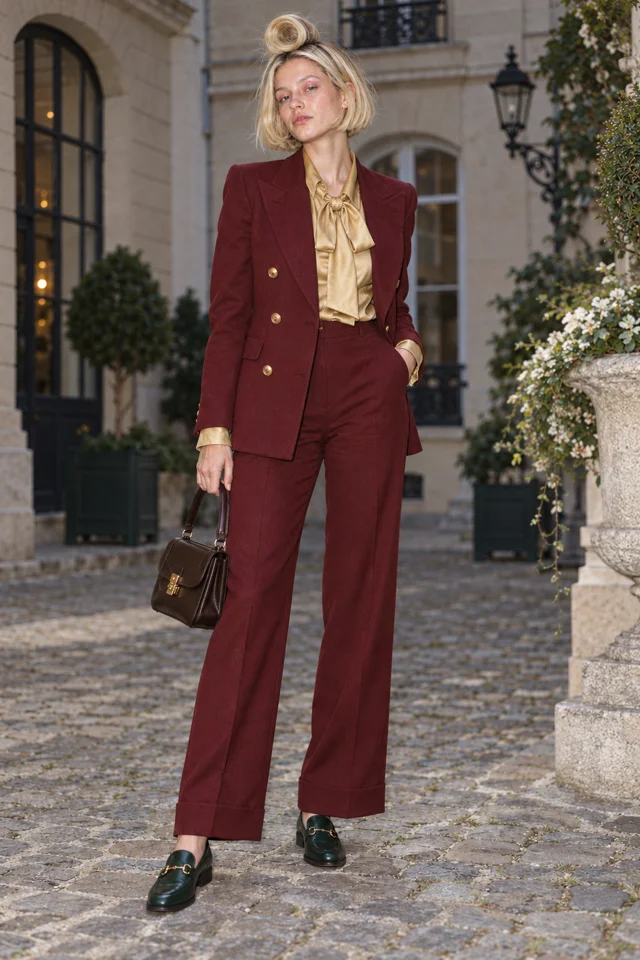
Lucie Loop: structured suit, loop bob, excessive ceremony
Lucie’s example uses a dominant clothing color and a single unusual hair contour. The gold bow and emerald shoes are smaller accents. Her expression is calm because the situation supplies the humor. Open the linked brief, change the name or a visible feature, and keep the portrait focused on identity before adding a busy setting.
For her first Clip, use a separate direction: “Lucie stops at an empty reserved café table, checks a folded list and waits for an announcement. Full-body view, steady camera.” If you change the suit color, update the Character brief deliberately rather than asking every new Clip to redesign her.
Every entrance is a runway.
Live action selected for this walkthrough. Choose your Look in the app; this inspector keeps the original reference artwork.
03
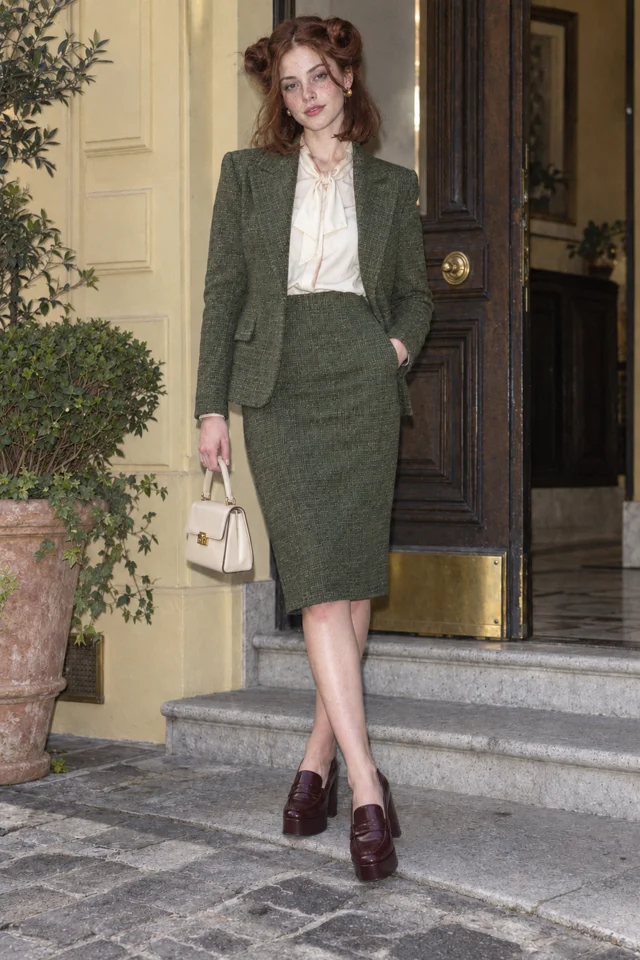
Ines Brume: tweed, pin curl, umbrella protocol
Ines’s example is a different silhouette and a different emotional task. The skirt suit, cream blouse and platform loafers are wearable pieces; the oversized pin curl is the visual surprise. Her attention to umbrellas gives the Character a reason to inspect, turn, catalogue and solemnly return objects in several places.
Keep the outfit and hair in the portrait description. For a Clip, try: “Ines examines a closed umbrella, turns it once and nods with grave approval. Quiet coat check, full-body view, steady camera.” The prompt does not need another jacket, hairstyle or biography to produce a second idea. A changing obstacle is enough.
Every entrance is a runway.
Live action selected for this walkthrough. Choose your Look in the app; this inspector keeps the original reference artwork.
04
Sofia Velluto: velvet, bouffant, a door that owes her manners
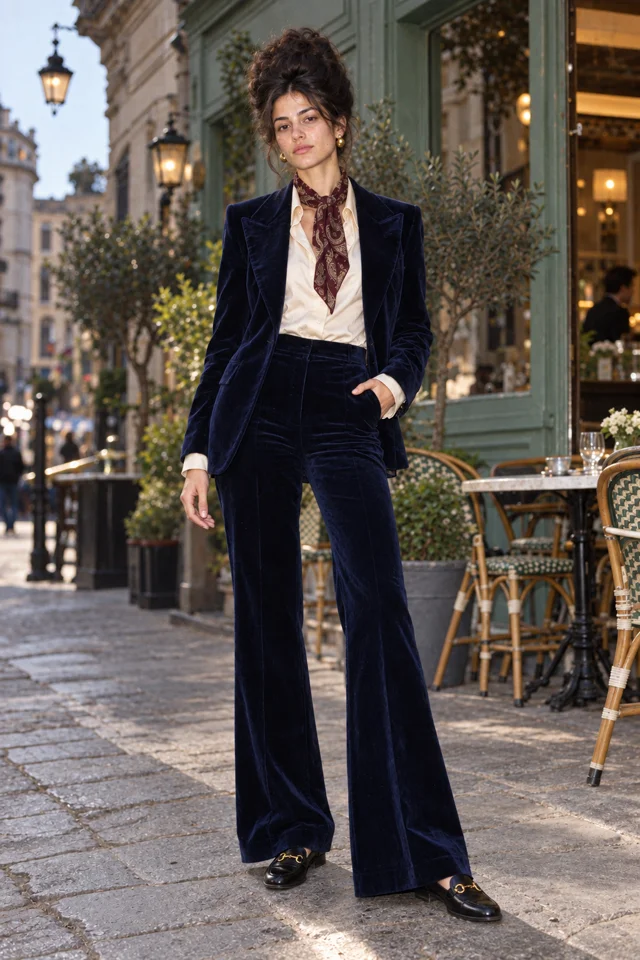
Sofia’s dark sculptural bouffant and midnight-blue velvet suit create another original direction. Ivory at the collar and a burgundy scarf separate the face from the darker outfit. The brief gives her a composed expression and a clear belief: ordinary entrances should introduce her properly. A formal pose supports that attitude without making the portrait a complete Scene.
Her Clip direction can be: “Sofia stops before a revolving door, straightens her scarf and waits for a formal introduction. Full-body view, calm expression, steady camera.” Later, move the same belief to a lift or an automatic entrance. Review the Character reference in each attempt instead of assuming the words guarantee every detail.
SCENE 1An entrance
Lucie Loop makes a perfectly serious entrance.
 SCENE 2
A complication
Ines Brume has already claimed the good chair.
 SCENE 3
A next episode
Sofia Velluto turns a small errand into a new episode.
Original artwork and illustrative Scene cards · not generated Film frames.
Start my World ↗05
Open, edit and review before making more
The creation links carry each example’s name and description to New Character. They open a real form; they do not start a draw. Edit the words, pick a Look where the current screen offers it, then Draw and keep a result you want to use. Read the current press price or daily allowance in the app rather than treating these examples as a fixed-price recipe.
After keeping the Character, open Playground for the separate Image or Clip direction. Keep identity details in the chosen reference and put the visible event in the prompt. If the face, hair or clothing changes in an important way, revise the attempt before making a series. Add a World when a rival, recurring place and Story need to grow together.
CLIP DIRECTION PREVIEW
Give Lucie one clear action.
Keep this direction for Playground. This artwork is a Character reference, not a Clip generated from your text.
Open Playground ↗Keep it sharp.
- Putting the whole scene and wardrobe changes into the first portrait brief.
- Copying every example’s accessories into one Character.
- Treating a prompt as a guarantee instead of reviewing the actual result.
Things you’re wondering.
Can I copy these prompts into the app?
Yes. The examples are editable briefs for original fictional adults. The links open the actual Character form with name and prompt filled in; you can change them before drawing.
Which parts belong in the Character description?
Put the adult identity, hair, outfit, silhouette and expression there. Keep physical action, camera direction and the ending of a moment for the Image or Clip direction.
Do these prompts automatically make a video?
No. Start by drawing and keeping a Character reference. A Clip is a separate action in the supported workflow, with the current price shown on the press.
Can I change the Look?
Pick an available Look for a standalone Character. Inside a World, the Character follows that World’s Look. Review the new result against the identity you want to keep.
What if the result misses a detail?
Revise the specific feature and compare the next result. Change one decision at a time so you can preserve the parts that already work.
Can these portraits prove a character swap worked?
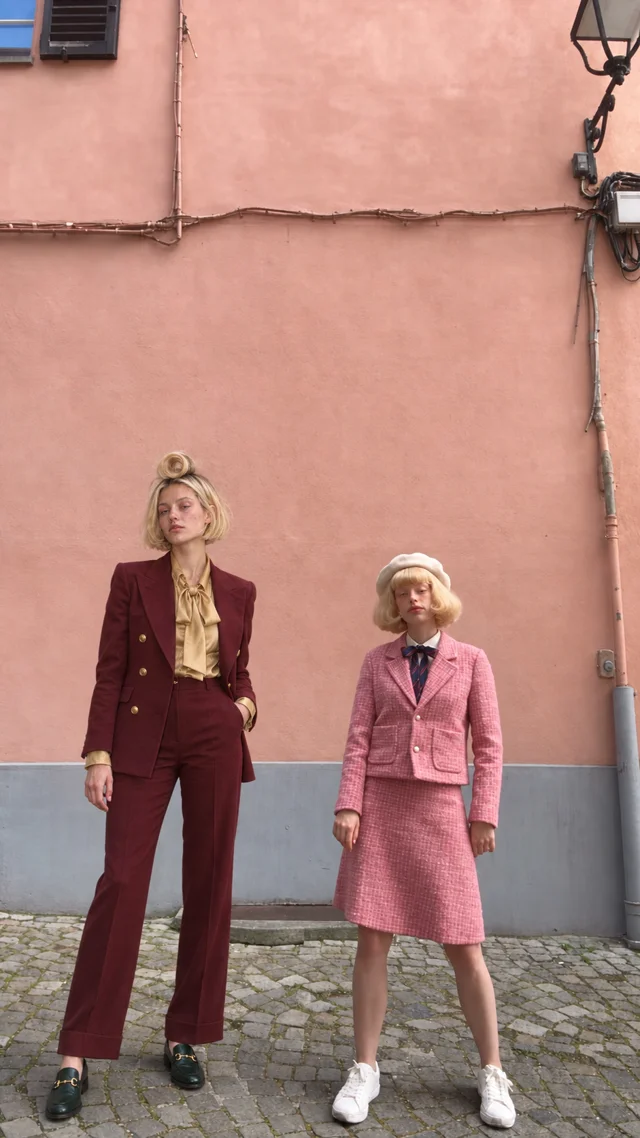
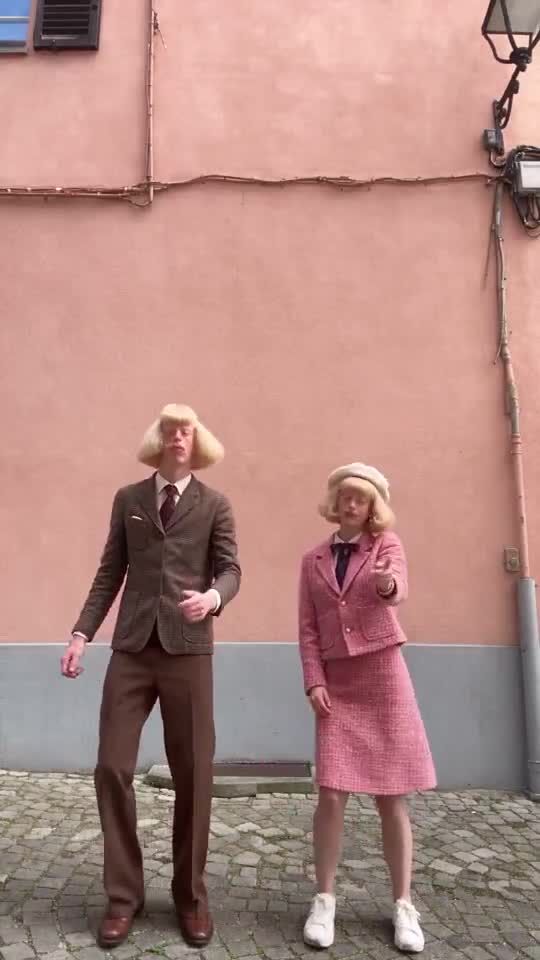
No. They are original identity briefs. The Jean + Clarabelle frame study on this page shows a source frame beside an edited still, but the prompts themselves do not transfer movement or promise a live in-app motion-transfer feature.