Build a Character prompt and a three-view checklist
Pick a role, art style, outfit, facial feature and story flaw. Copy your Character prompt with a three-view checklist, or send your five choices to the Character creator.
Free: your idea as a Picture Story starring your Character. A plan films every Scene.
By the Character App team · Updated November 2026 · Prices from the live price list
Character prompt and three-view checklist
Ready-to-use Character prompt
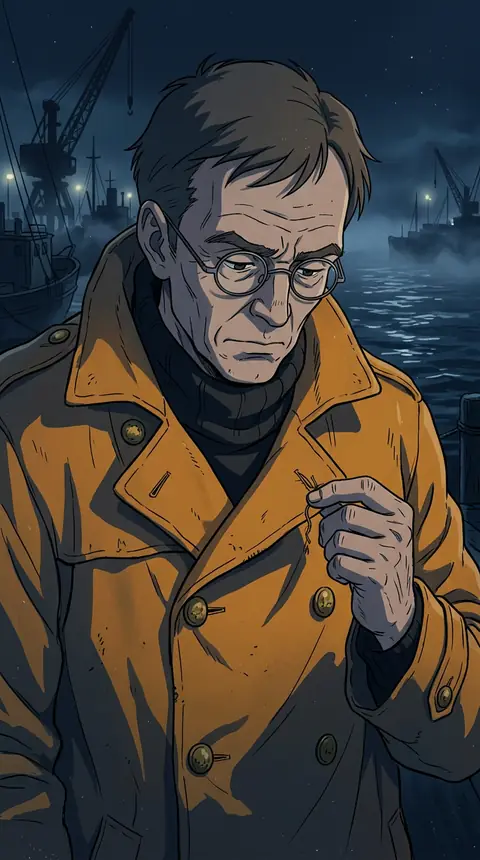
An observant harbor detective in a saffron trench with brass buttons. Give them round glasses and a crooked brow. The lead pursues every loose clue. Use hand-inked anime cels.
- View 1 · Front portraitSoft neutral light, centered eyes, unobstructed hairline so later Scenes lock the face.
- View 2 · 3/4 silhouetteConfirms hairstyle volume, collar line and facial anchor from an angle.
- View 3 · Full-body LookFixes outfit color blocks and proportions before you stage any multi-Scene Episode.
- Sign-in required
- None — build and copy in the browser
- Anchors combined
- Archetype, art style, outfit, facial marker and flaw
- Output
- One-line Studio prompt + 3-view turnaround checklist
- Picture cost in Studio
- 6 Credits (Nano Banana 2.1)
How to turn a prompt into a reusable cast member
- 1
Lock silhouette before tiny details
Pick one unmistakable outerwear color and one facial anchor (glasses, hairline streak, scar or freckles) so small mobile frames stay readable.
- 2
Choose one fixed art style for the entire cast
Choose a style such as cel anime or felt stop-motion. Use the same style when you write the next cast member’s prompt.
- 3
Generate a clean front portrait first
Avoid dramatic side shadows on the base picture. Neutral lighting gives reference-conditioned image and video models clear facial geometry to hold onto.
- 4
Separate outfits with Looks later
Once the core face is saved, change coats or uniforms by creating Looks rather than rewriting facial traits from scratch.
Turn the detective for two reference checks
Example Character and Scenes, drawn for this page with Nano Banana 2.1.
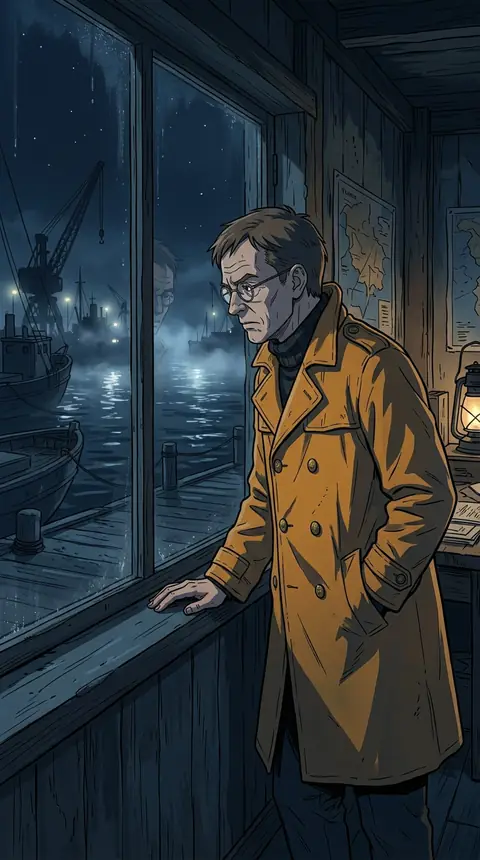 Scene 1
Turn the face three quarters to check the round glasses and crooked brow.
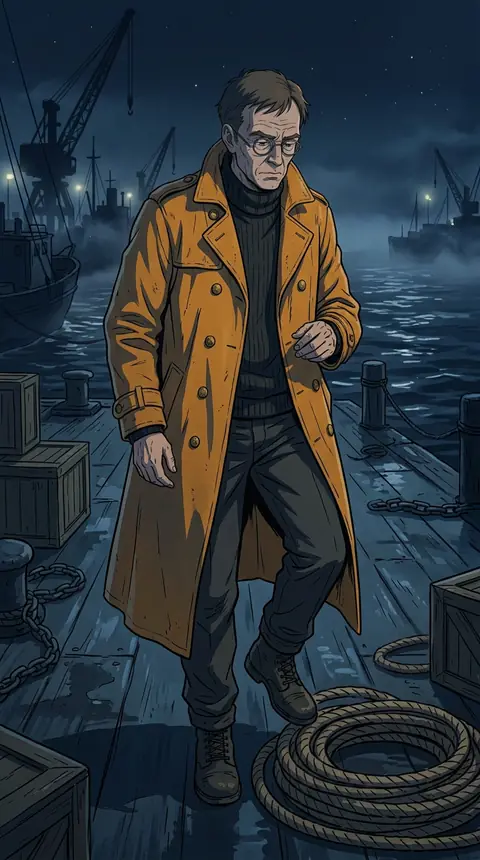 Scene 2
Step back until the coat hem and brass buttons are visible together.
Why vague character prompts drift between scenes
Writing "a cool detective in a dark jacket" leaves the collar, fabric and face open to interpretation. A brass-buttoned saffron trench is easier to check in a second drawing.
Keep one detail large enough to read in a full-body view and one that survives a close-up. Compare both against the portrait before you save the Character.
What belongs on a 3-view character turnaround checklist
Check the face straight on, turn three quarters to see the hair and collar in profile, then step back until you can see the coat hem and shoes.
What a plan makes
Plans are monthly and cancel any time, with no watermark and commercial use under the Terms. One pool of Credits makes any of these.
An HD H3 video is a 5-second Clip on HG H3 Max, the default model; a Seedance 2.5 video is 5 seconds at 480p; a Slideshow Story is 5 slides. Plans & Credits
Questions, answered
Does this character prompt generator require an account?
No. You can roll a prompt and copy it in your browser.
Can I paste the prompt into other AI image generators?
Yes. Click Copy prompt & brief to paste the structured description and turnaround checklist into any tool, or click Build this Character to open the description in the Character creator.
Why include a story flaw in a visual character prompt?
Posture and expression come from temperament. Adding a concise behavioral flaw ("hides panic behind polite small talk") nudges portraits and acting takes away from stiff stock smiles.
Do I need a LoRA to keep this character consistent in video?
No. Character App can use your saved Character picture and Looks as references, without dataset prep or GPU training.
Keep going
Every format and genreMake the Character once. Use it everywhere.
Free: your idea as a Picture Story starring your Character. A plan films every Scene.