The reference sheet that keeps itself
Settle the face, the outfit and the signature details once, then let the Character carry that design into every Scene instead of redrawing it.
Continue with the free Studio · one World build, one Character a day, 4 Lite Images a day

How to make a character sheet
Describe the Character, with build, face, outfit and one or two signature details, or start from your own photo. The character sheet is how a Character is designed and kept consistent: its references and Look are saved with the Character, and every later Scene and Clip draws from those references instead of reinventing the design. You won't get a formatted turnaround file as an export; you get the Images you drew and a Character who stays on-model wherever you direct them.
Updated September 2026 · Free to start · Web and iPhone
Looking for the general tool? Start with the AI character creator.
Same Character, any Look
Milo in 6 Looks: live action, anime, 3D animated, 2D cartoon, claymation, pixel art. Put Milo into another World with a different Look and the face, the hair and the wardrobe carry over; only the pen changes.
01 Live actionMilo, realistic

02 AnimeMilo, anime
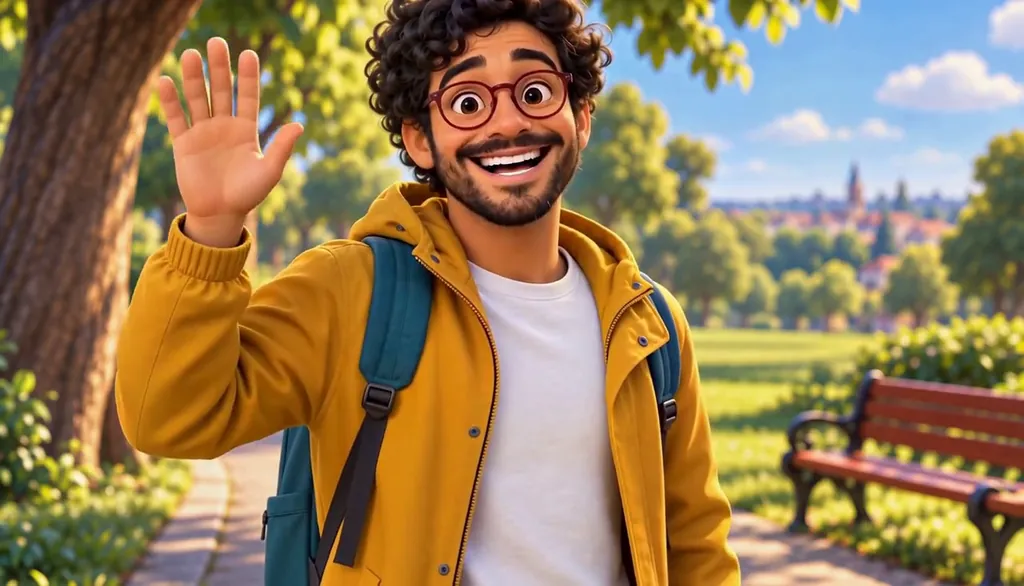
03 3D animatedMilo, 3D animated

04 2D cartoonMilo, 2D cartoon
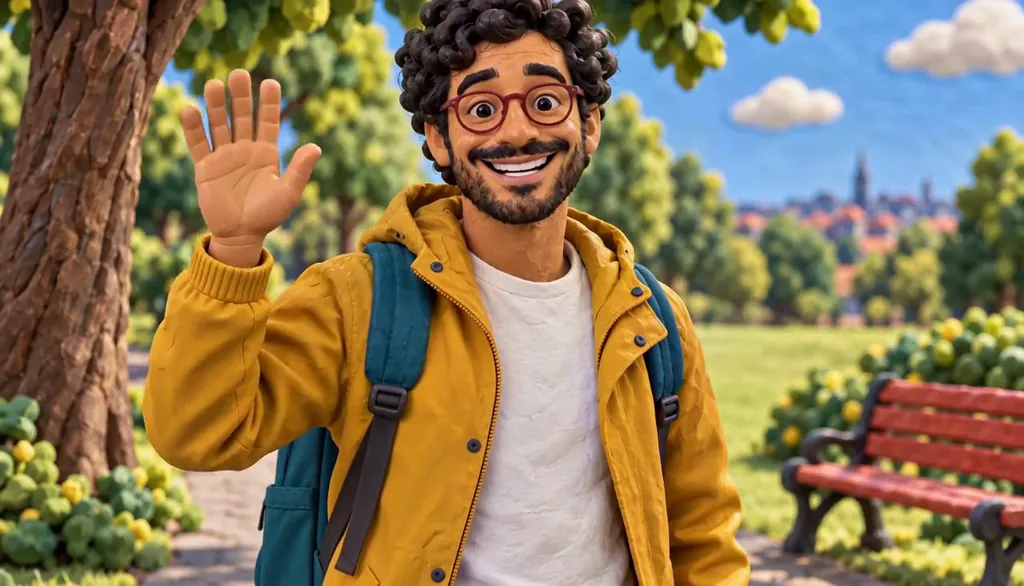
05 ClaymationMilo, claymation

06 Pixel artMilo, pixel art
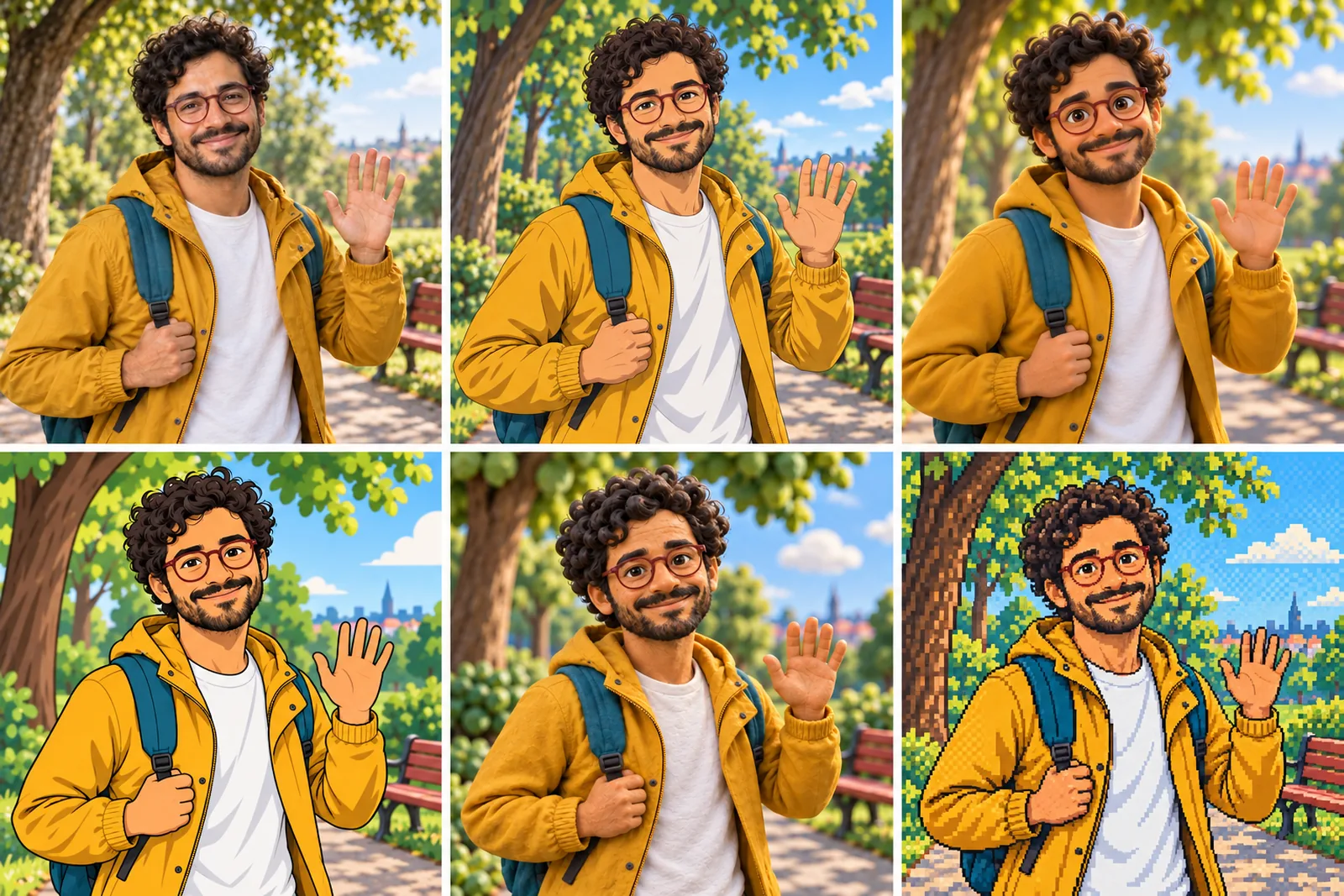
07 All six Looks
Original character made for Character App’s character pages with gpt-image-2.5 and H3 Max Turbo. Clips filmed with H3 Max Turbo, the Clip model in Character App; Looks drawn with gpt-image-2.5 from one portrait.
The character sheet
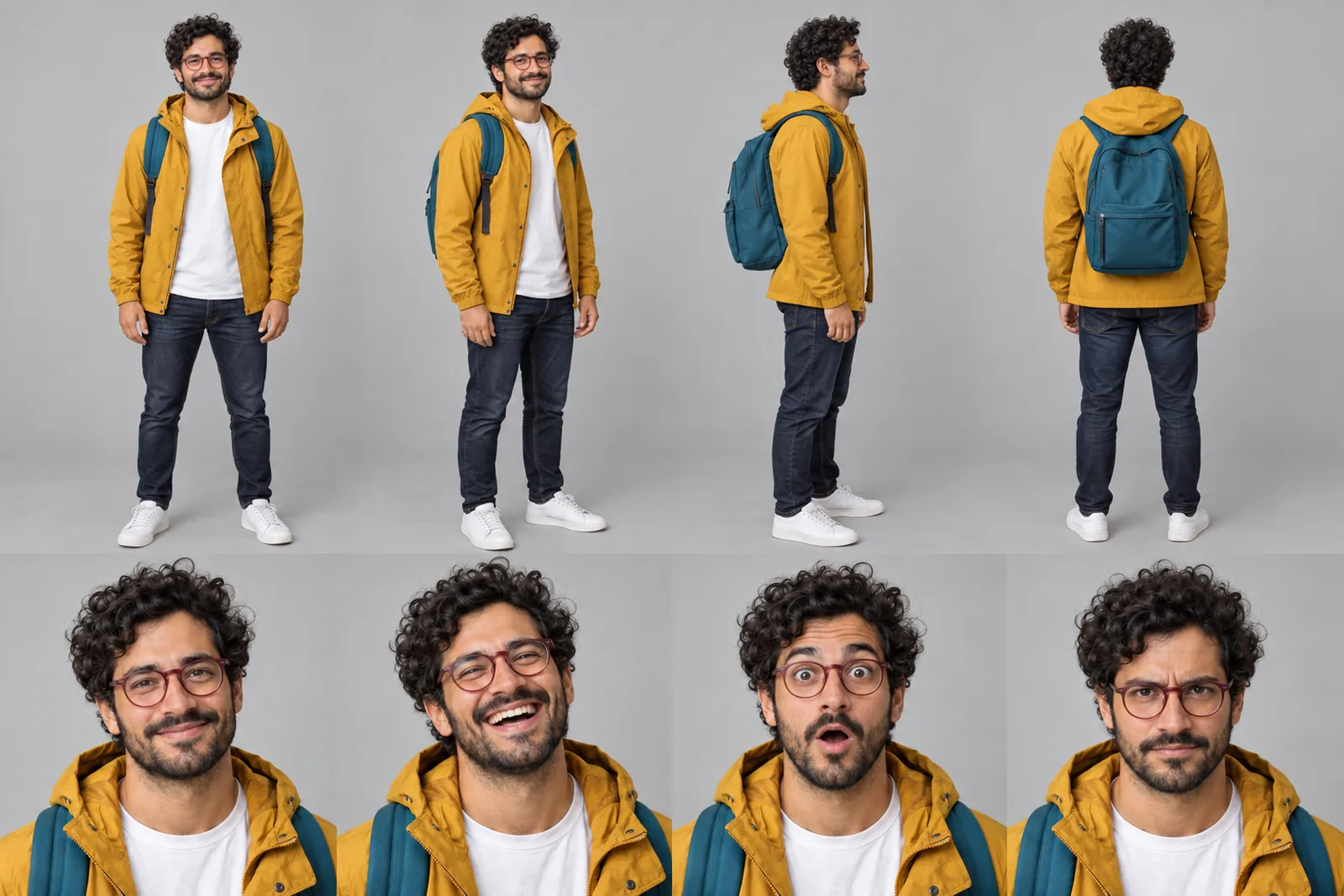
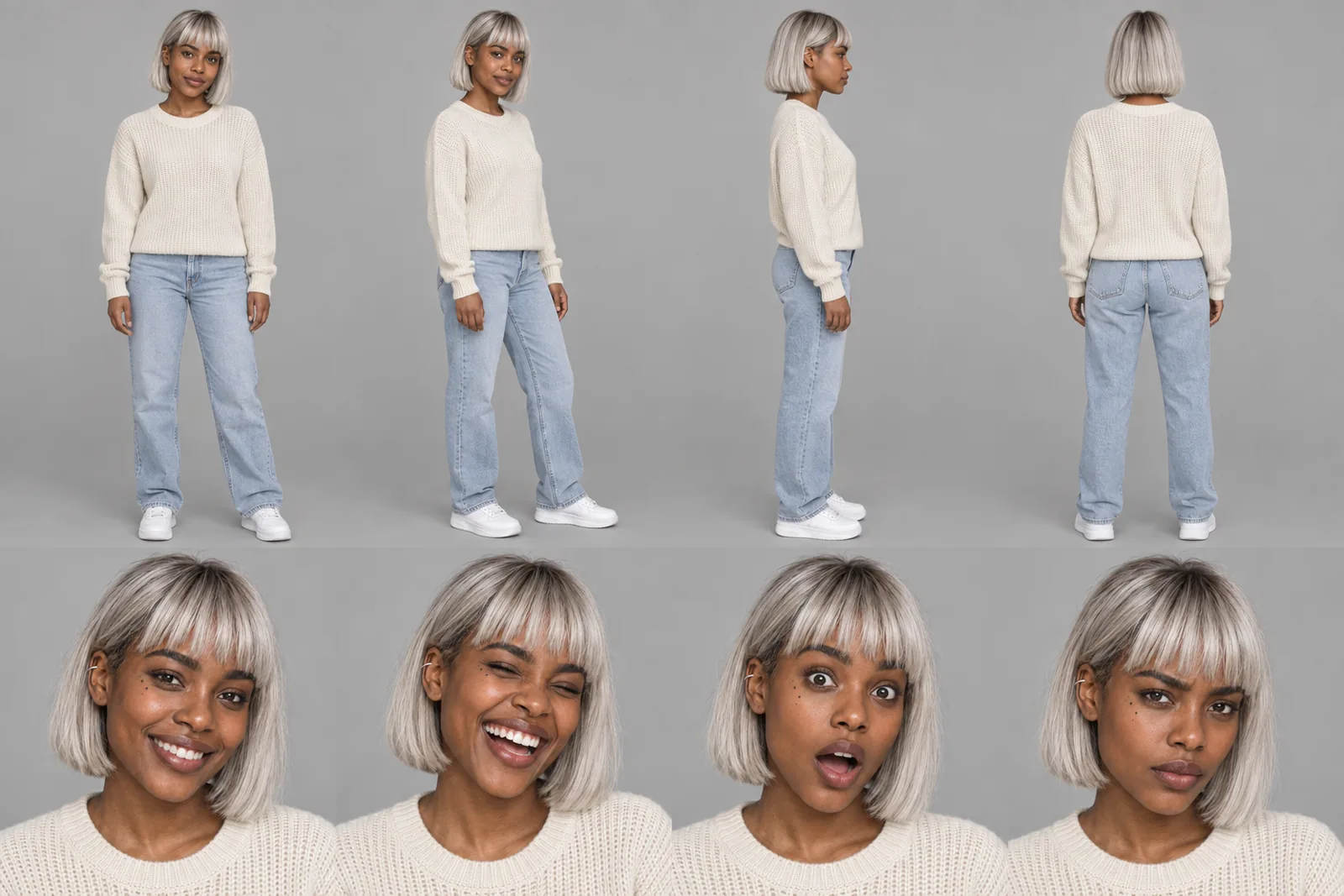
Before Milo is in a single Scene, there is a sheet: front, three-quarter and back views, plus the expressions the story will need. It is how we design a Character and how Character App keeps Milo consistent from Clip to Clip, in every Look.
It is not a download. You never manage a reference sheet yourself, and the app does not export a turnaround file; the Cast keeps the Character on-model in the Scenes you direct.
Milo lives in your Characters
Every Character you make keeps its Looks in one place, one for each World’s Look. Use Milo in a new World and the Cast brings the same face into that World’s Look, in every Scene and Clip.
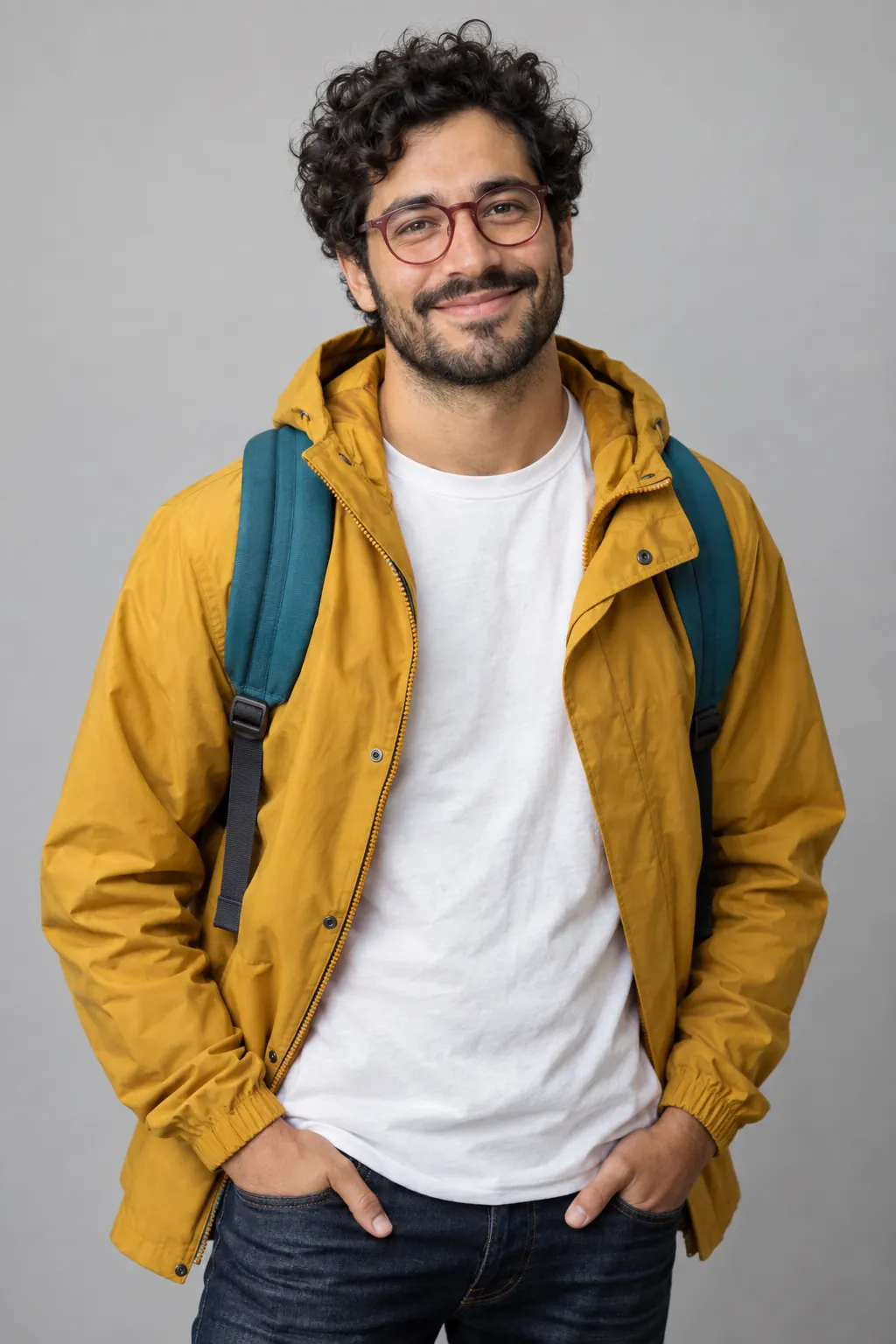
Illustration of the Characters screen, recreated with Milo Fenn’s Images. Original character made for Character App’s character pages with gpt-image-2.5.
Why artists make character sheets
A model sheet exists so the twentieth drawing matches the first: front, three-quarter, side and back, a row of expressions, notes on what never changes. It works because everyone checks against it. AI pictures have nobody checking, so each new one quietly reinvents the ear, the hem, the glasses. Character App moves the sheet's job inside the Character: its references and Look are reused every time you draw or film.
What the app actually keeps
The Character's references
The approved portrait, or your own photo, that the Character was built from. Every Scene and Clip draws from it.
The Look
The World's visual style: line, texture, light. Change your World's Look and the anchors stay put.
The facts
Written details such as “scar over the left eyebrow” or “never takes off the scarf” belong in the World's Bible, where the Director can read them.
What it doesn't keep
A formatted sheet file. There's no turnaround-PNG export; any views you draw are ordinary Images in your Library.
Settle the design with Images
Use drawing time to answer questions before you film. How does she look when she's furious? Does the hat still read in a wide shot? Draw Images of the Character in the moments and expressions you want to settle, keep the takes that match, and redraw the ones that don't. A specific angle is a request, not a guarantee, so judge each take against the design. Then see the Character in a second World with a different Look: if you'd recognise them in both, the anchors are strong. If not, add a signature detail and draw again.
Then stop managing it
Once the design is settled, direct Scenes as normal. The Character arrives with the same face, outfit and details, in close-up or wide, in anime or stylized 3D. Comic makers use the Cast for Story Images; animators film Clips; game developers use it for concept work.
8 character sheet ideas to start from
Press one and it lands in the idea box. Change a word or keep it; the Director takes it from there.
- 01Settle the DesignA courier in a mustard raincoat, settled down to the last button before her first delivery.Use this idea
- 02Five MoodsThe same villain calm, amused, bored, furious and quietly delighted.Use this idea
- 03Costume ChangeOne detective, three outfits: daywear, the trench coat, the tuxedo for the gala.Use this idea
- 04The Jacket DetailDecide the one detail on the hero's jacket that never changes.Use this idea
- 05Style TestOne Character in an anime World and a stylized 3D World, to check the anchors hold.Use this idea
- 06Prop CheckThe wizard with his staff, his satchel and one suspicious sandwich.Use this idea
- 07Line-upThe whole Cast standing in a row, to check the heights make sense.Use this idea
- 08First SceneThe sheet is done; the courier walks into the rain for Scene 01.Use this idea
From one line to a Character on film
- 1
Describe the Character
Build, face, outfit, one or two signature details, or start from your own photo.
- 2
Settle the design
Draw a few Images to settle expressions, outfit and signature details, keep the takes that match, and add the facts to the Bible.
- 3
Direct the Scenes
Put the Character in a World, draw the Story Images and film the Clips you like with a plan.
Questions, answered
Still curious? Using your own photo and the guides go deeper.
Does this export a formal front, side and back turnaround file?
No. There's no formatted turnaround export. The character sheet is how the Character is designed and kept consistent; Scenes draw from the Character's references, and any Images you draw are ordinary Images in your Library.
Can I see my Character from a different angle?
You can ask for a view in the Image direction, such as “three-quarter, looking over the shoulder”, and keep the takes that match; an exact back view isn't guaranteed on demand. What stays reliable is the design itself: Scenes draw from the Character's references.
Can I make an expression sheet?
Draw each expression you need as its own Image: angry, shy, smug. They live in your Library.
Does the design stay stable across art styles?
The anchors do: face shape, hair, colouring, signature details. The Look changes line, texture and a little proportion.
Is this for comics, animation or games?
All three as a design tool: Story Images for comics, Clips for animation, concept work for games.
Can I start from a photo instead of a description?
Yes: your own photo, or one of someone who gave their written consent. The photo becomes the Character's reference.
What does it cost?
Continue with the free Studio: currently one World build, one Character a day and 4 Lite Images a day. Clips need a plan, from $19.99 a month for 800 Credits; a 5-second Clip from an Image on H3 Max Turbo is 15 Credits, shown on the button before you press.
More character types
Every character type
Your character sheet starts with one line.
Continue with the free Studio · one World build, one Character a day, 4 Lite Images a day