Make a Character Who Can Carry More Than One Scene
Shape the face, silhouette, wardrobe, expression range, and visual direction—then keep one approved reference close to every new Story and Scene.
Built for recurring Cast in satire, comedy, and vertical drama—not disposable fantasy descriptions.
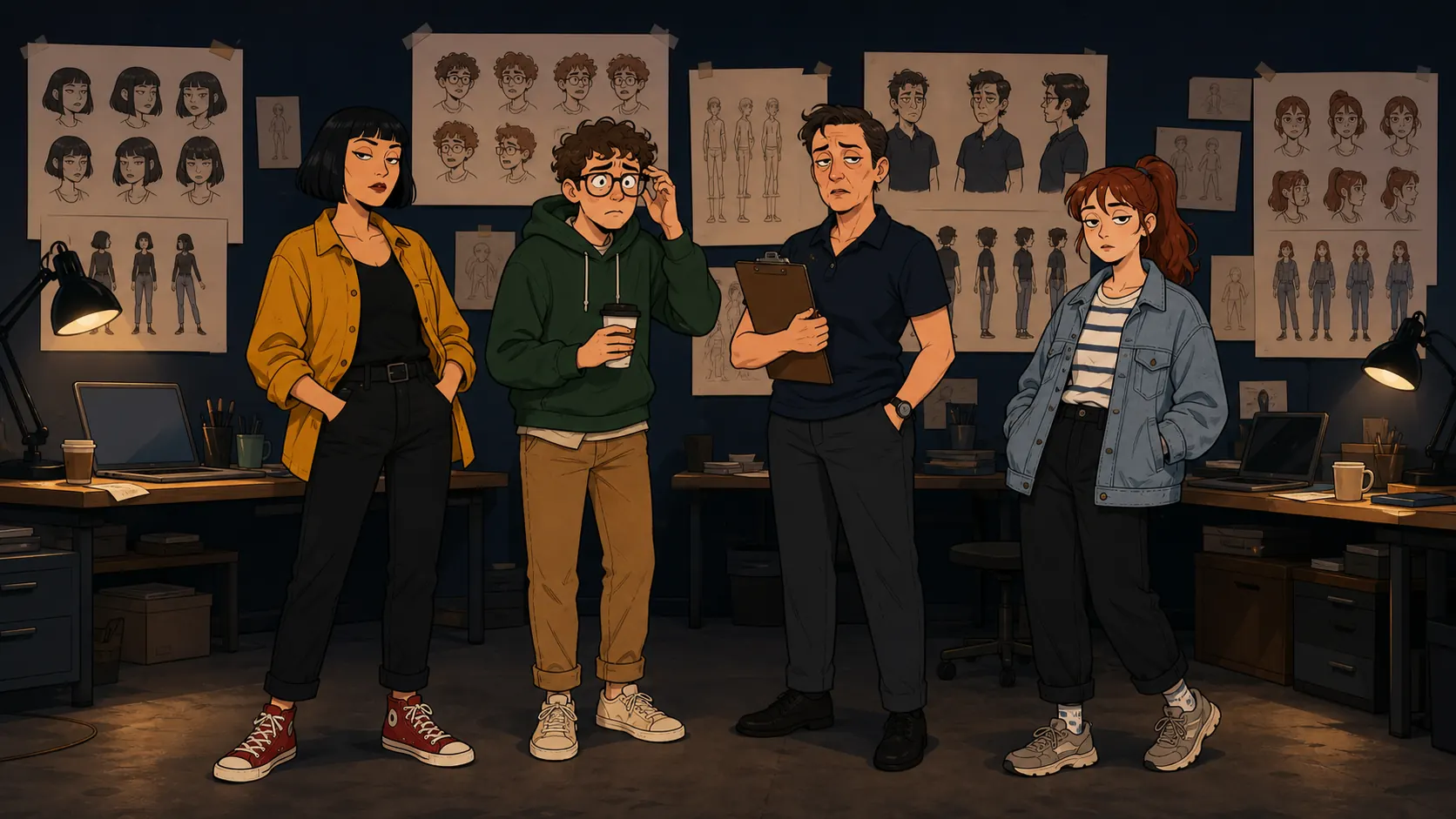
Judge the character in a lineup and in a real Scene.
A useful appearance is more than one flattering portrait. Compare the silhouette, expression range, wardrobe, group contrast, and phone-frame readability before you keep the reference.
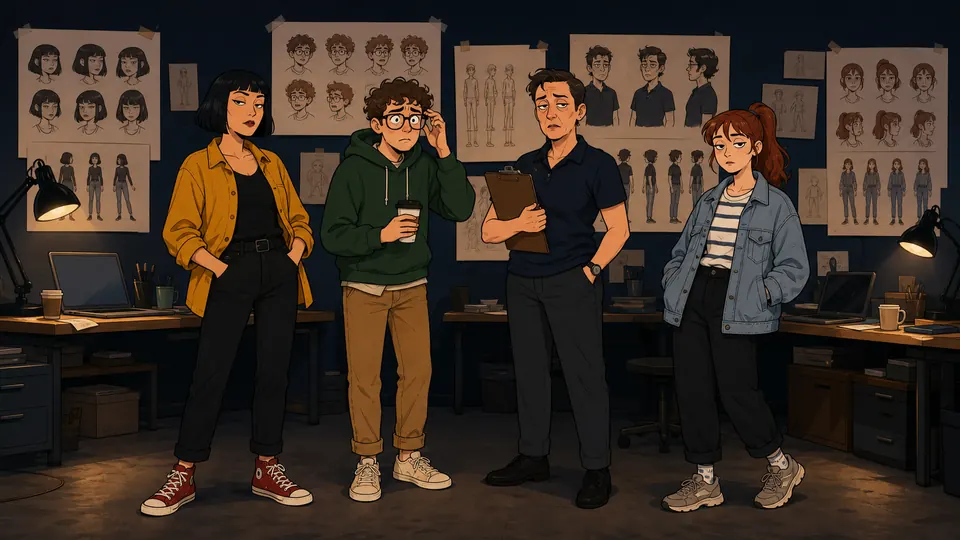
2D lineup · Readable silhouettes before the first joke. Rina, Theo, Morgan, and Jo remain distinct even without fantasy costumes or visual noise.
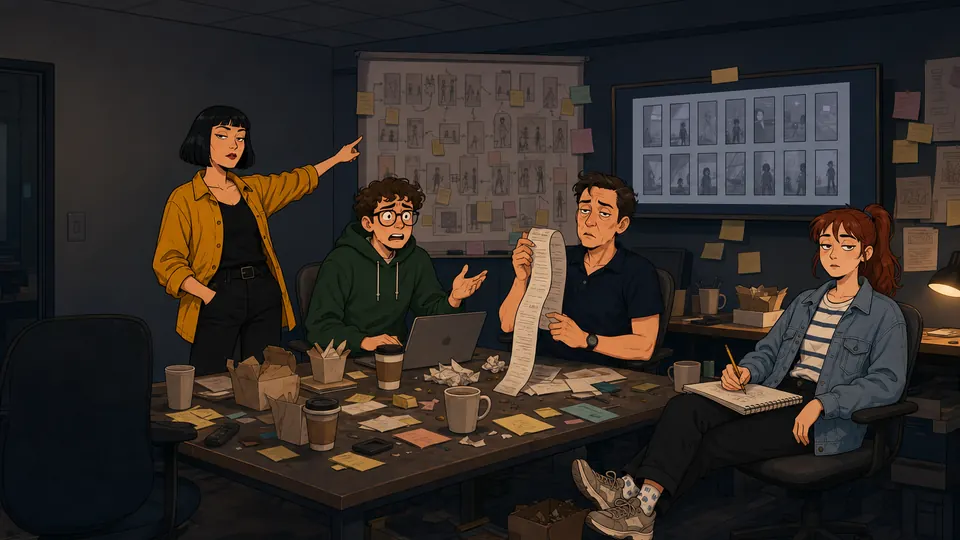
2D Scene · The same Cast under pressure. Wardrobe, faces, and roles carry from the reference room into an ensemble comedy Scene.
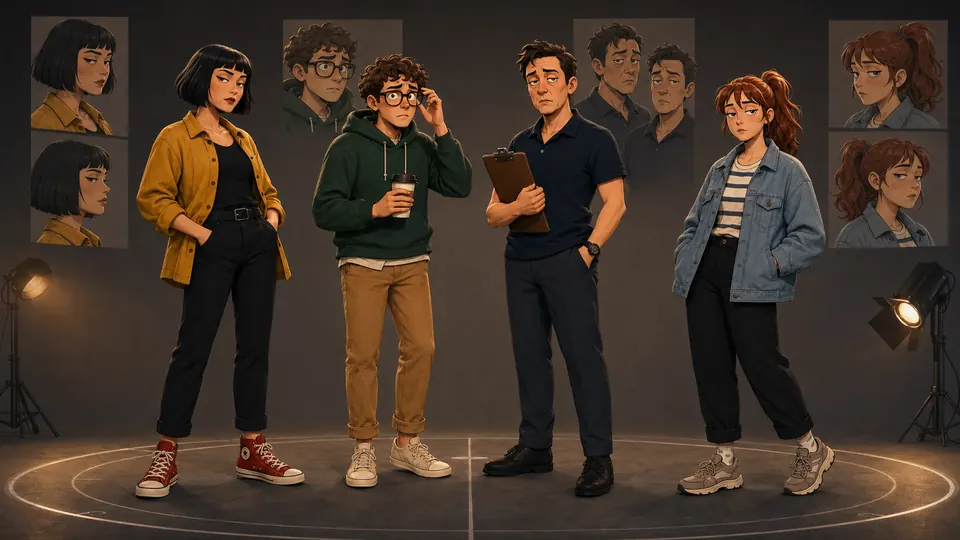
Stylized 3D · Change the medium, not the people. The same color coding and character shapes survive a more dimensional World Look.
These original campaign characters illustrate a reference-led workflow. Results vary by model and Scene, and every result remains subject to creator review.
Choose the job you are doing
Start from a picture
Use an Image you have the right to use as the first visual anchor.
Build a vertical-drama lead
Design for phone close-ups, recurring wardrobe, and cliffhanger reactions.
Build a comedy ensemble
Create contrasting silhouettes and roles that make the group funny before anyone speaks.
From appearance idea to reusable Cast
Make the visual decisions once, then test them where the character will actually work.
Choose the appearance
Set age range, silhouette, hair, wardrobe, expression range, and a grounded 2D or stylized 3D direction.
Keep the reference
Select the Image that best defines the Cast member. Treat it as guidance for later work, not a promise of perfect identity.
Direct a real Scene
Place the Cast member beside other characters, change the camera and emotion, and review whether the appearance still reads.
A character needs decisions, not adjective soup.
Start with what an audience can recognize quickly: silhouette, face shape, hair, wardrobe color, posture, and one or two expression habits. Those choices are easier to direct than a long paragraph full of conflicting detail.
The interactive appearance board above turns those decisions into visible states. It also keeps the Cast member connected to the World, the Bible, and the next Scene.
- Silhouette and body language
- Face, hair, and expression range
- Wardrobe colors and repeatable details
- 2D or stylized 3D World direction
Test the appearance beside the rest of the Cast.
A lead may look strong alone and disappear inside an ensemble. Compare height, shape, value, color, and emotional energy before filming a sequence of Scenes.
The four-character campaign above uses ordinary contemporary clothes so the personalities—not fantasy props—create the contrast.
Vertical drama rewards a face that reads instantly.
A 9:16 close-up gives the audience very little time to learn the character. Stable hair shape, wardrobe color, and reaction language help the viewer recognize who owns the next Turn.
FAQ
- What is a character appearance generator?
- It is a tool for shaping the visible traits of a character—face, hair, body shape, wardrobe, expression range, and visual direction—before using that character in Stories and Scenes.
- Does this make a picture or only a written description?
- Character App is picture-led. You can begin from an Image or a visual brief, keep a selected reference, and then use that Cast member in later Image and Clip work.
- Can I make both 2D and 3D characters?
- Yes. Choose a grounded 2D cartoon direction, a stylized 3D direction, or another current World Look. Keep one approved Cast reference as the visual anchor for later Scenes.
- Will the character look identical in every Scene?
- No visual model can promise an identical result every time. A clear reference, stable wardrobe notes, and consistent World direction can reduce drift; review every Image and Clip before keeping it.
- Can I use the character in a vertical drama?
- Yes. Build the Cast member first, plan a 9:16 Story, then reuse the approved reference while directing each Scene. Close-ups, wardrobe continuity, and readable expressions matter most on a phone screen.