How to Keep the Same AI Character Across a Vertical Drama
By Character App Team · · 9 min read
A recurring Cast is the spine of a vertical drama. This guide shows the continuity stack used in Character App—approved references, World and Bible context, prior-Scene grounding, and a human review step—without pretending generative variation disappears.
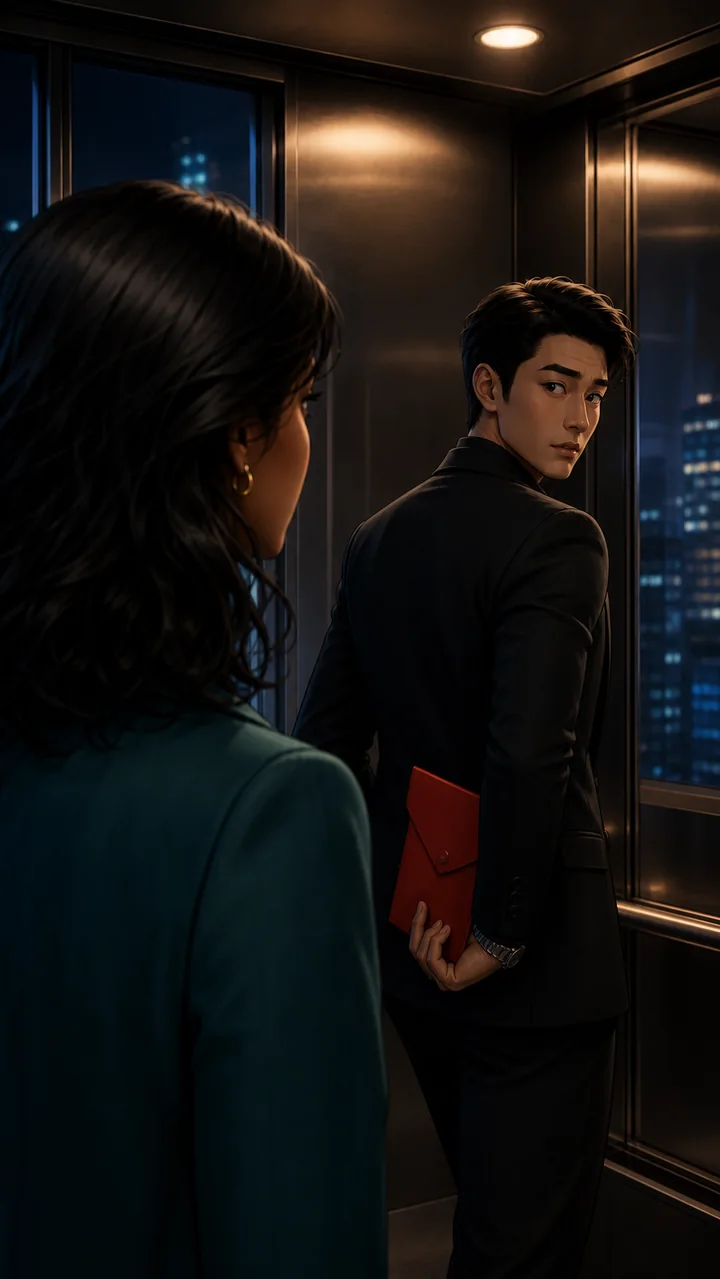
Compare one Cast across two Scenes
The same two adults, teal coat, charcoal suit, red envelope, and elevator remain visible across two Scenes and two World Looks.

Stylized 3D Scene 01 Stylized 3D Scene 02 
Graphic 2D Scene 01 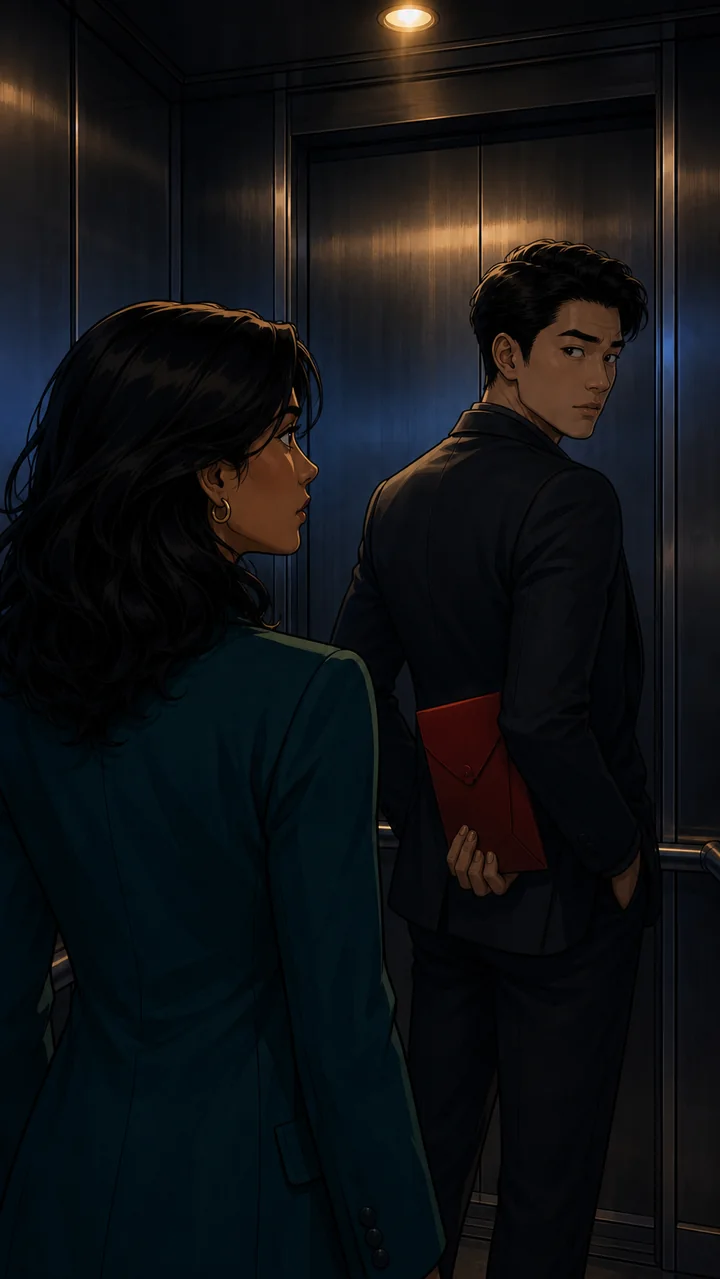
Graphic 2D Scene 02
Cast references and World Look direction can reduce drift, but outputs can still vary. Review every Scene before Export.
Consistency begins before the first Scene
Do not begin by describing the lead again in every prompt. Create or select the Cast member, approve a useful reference, settle the World Look, and write down the few visual facts the audience must recognize immediately.
For Maya in the worked pilot, those facts are warm brown skin, shoulder-length wavy black hair, a teal tailored coat, a cream blouse, and small gold hoop earrings. For Adrian, they are swept-back black hair, a charcoal suit without a tie, and a silver watch. The red evidence envelope is a continuity prop, not part of either person.
Use a hierarchy of references
Identity comes first. The approved Cast reference tells the model who the person is. The World Look tells it how this Story should feel. The prior Scene helps carry wardrobe, lighting, set state, and staging forward.
Those references have different jobs. A previous frame should not replace the Cast identity anchor, and a stylish frame should not silently rewrite the World Look. Keeping the hierarchy explicit makes drift easier to diagnose.
- Cast reference: identity and recognizable design
- World Look: rendering language and atmosphere
- Bible facts: settled relationships, rules, and visual constraints
- Prior Scene: immediate wardrobe, prop, light, and set state
- Current direction: the action and camera for this one Scene
Draw sequentially when continuity matters
The current Character App Story workflow draws Scenes sequentially. That is deliberate: Scene two can see the state established in Scene one, and Scene three can inherit the envelope, elevator, and night lighting after the reveal.
Parallel work can be faster, but it removes the immediate prior frame that explains what just changed. For a serialized drama where wardrobe, props, and eye lines carry the plot, sequential context is often worth the wait.
Review identity, wardrobe, props, and set separately
A take can preserve the face and lose the prop. It can preserve the coat and redesign the elevator. Treat continuity as four separate checks instead of one vague feeling that something looks wrong.
The interactive comparison above uses the same two adults and the same elevator hook in stylized 3D and graphic 2D. That demonstrates a controlled World Look change. Within one Story, keep the selected Look stable unless the change is intentional.
Know when to keep a take and when to make another
Minor variation that does not affect recognition or story logic may be acceptable. A different face, missing evidence envelope, unexplained wardrobe change, or redesigned set is a stronger reason to revise the Scene direction and try again.
Do not repair a failing identity by piling more adjectives into the action prompt. Return to the approved Cast reference and check whether a conflicting prior frame or Story description is overriding it.
The honest promise
No generative system can promise an identical person in every frame. Character App is designed to keep the important references and context attached to the work, reduce avoidable drift, and give the creator clear places to review each take.
That distinction matters. The product advantage is not magic sameness; it is a production system for recurring Cast, connected Scenes, and recoverable decisions.