Vertical Drama Video Size: 9:16 Framing and Safe-Area Guide
By Character App Team · · 7 min read
A 9:16 frame is taller than it is wide, but vertical-drama composition is more than rotating the camera. Use this interactive center-safe guide to stage faces, reactions, evidence, and later captions for a phone-first episode.
Plan the center before the edges
A generic 9:16 overlay helps keep essential action away from common interface zones. It is not a publishing specification.
- Dialogue
- Keep faces and reactions near the center so side controls are less likely to cover them.
- Action
- Leave breathing room around movement and check each destination before Export.
- Title
- Keep essential text compact and central; interface controls and captions can use the edges.
Platform interfaces and rules change. Check current destination requirements before Export.
Use 9:16 as a creative decision
Character App supports a 9:16 choice when you start a Story. Choose it before you draw the Scenes so framing, eye lines, and set design are composed for a phone from the beginning.
A common delivery canvas is 1080 by 1920 pixels, but aspect ratio is the essential relationship: nine units wide for every sixteen units high. Current platform encoding requirements can change, so check the linked official help pages before final delivery.
Keep the story-critical information near the center
Platform buttons, captions, account labels, and crop behavior often occupy the outer edges. There is no single permanent pixel-safe rectangle that covers every app and device, so this guide uses a conservative center-safe area rather than pretending one overlay is universal.
Faces, hands, and the object that drives the Scene should stay readable without touching the top, bottom, or side edges. Decorative environment can extend farther.
Favor close reactions over wide coverage
A portrait frame rewards close-ups, over-the-shoulder angles, and two-shots with strong vertical separation. Wide establishing shots lose detail quickly on a phone.
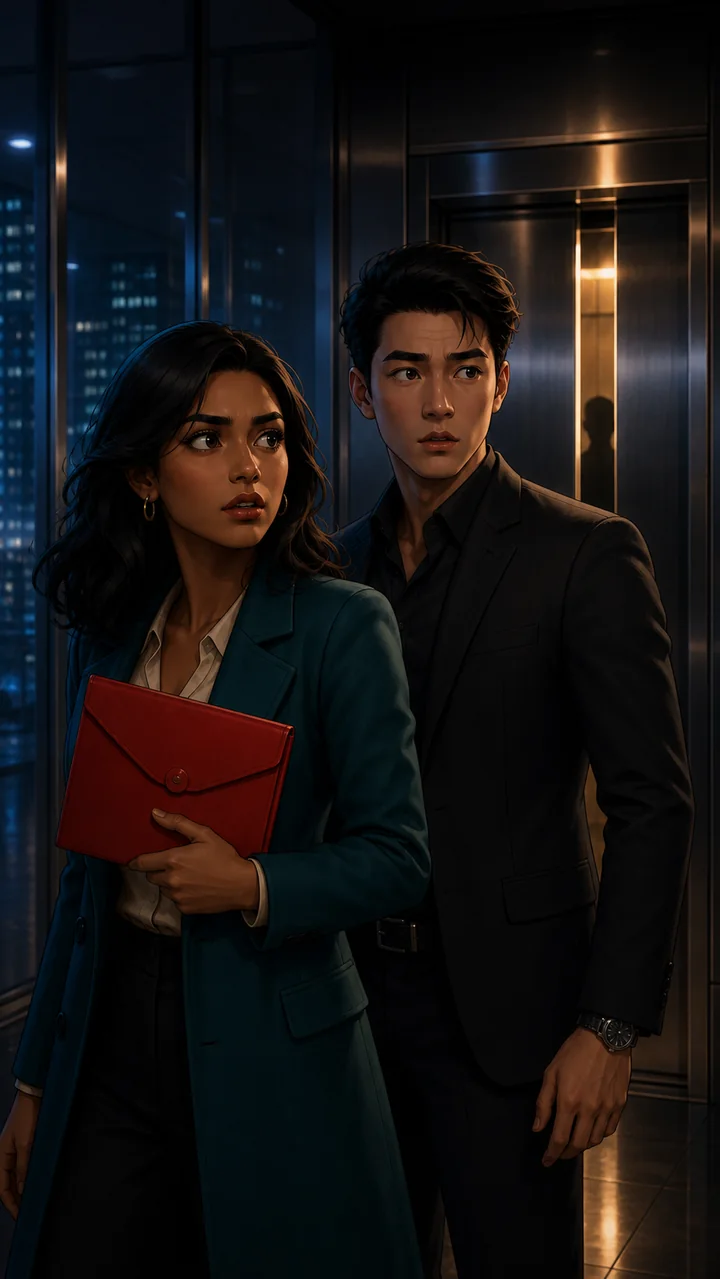
In the elevator pilot, the Cast and red envelope remain inside the middle of the frame. The city and elevator provide atmosphere around them, but the Story still reads if those edges are partially covered.
Leave room for captions without baking them into the Scene
Do not ask the Image model to draw final captions into the artwork. Keep text separate so it stays legible, editable, localizable, and accessible.
Character App can assemble completed Clips into one playable Story, but automatic platform-ready caption finishing is not presented here as a current feature. Reserve breathing room during composition, then finish captions against the current publishing destination.
Check the destination again before publishing
YouTube and Instagram publish current rules in their own help centers, linked in the Sources section. Those rules, interface overlays, and monetization programs can change after this guide is updated.
Treat platform presets as a final delivery concern. The Story should preserve an uncluttered 9:16 master first, then create destination-specific versions from that master where needed.