01
Who is Jean Phil? Start with the public persona.
Jean Phil is the recurring character featured on @jean_philanthrope, and press widely reports him as AI-generated rather than a real person. In the public posts checked on 30 September 2026, the visual identity is easy to pick out: blond bob, curled moustache, brown patterned three-piece suit and a serious expression. The profile’s visible bio read “Oui Madame.” You meet the persona through a short performance rather than a long introduction.
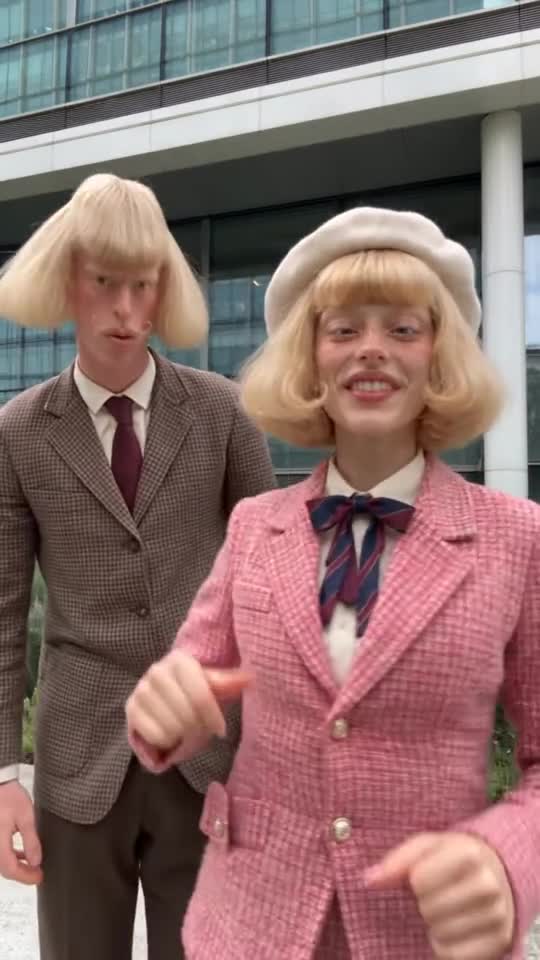
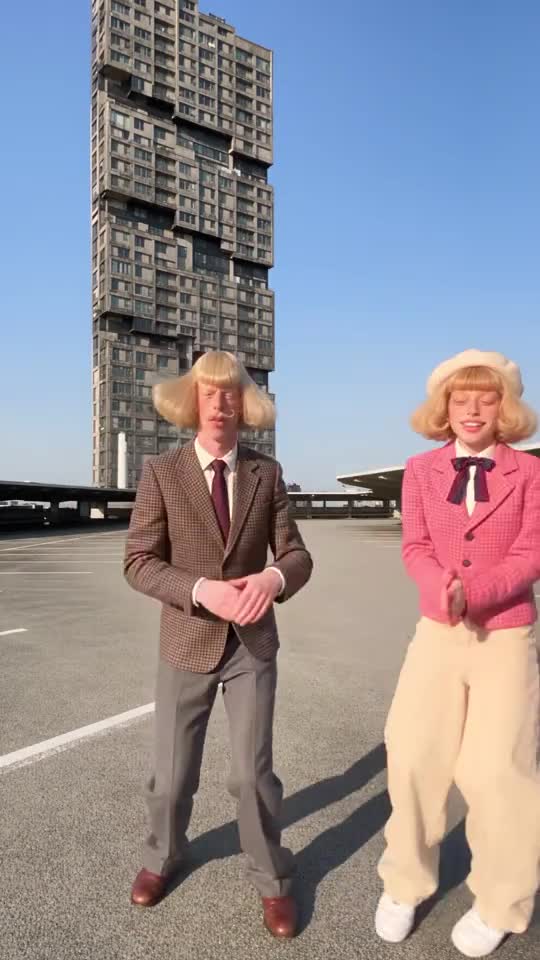
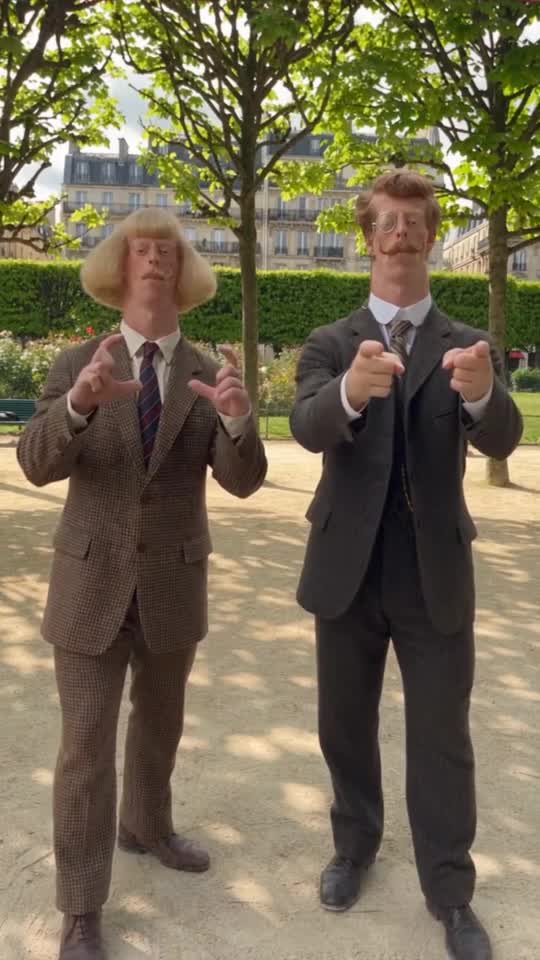
The inspected 19 September post shows park shadowboxing; the 18 September post shows street shadowboxing. Clarabelle’s and Arthur’s reels also show Jean with Clarabelle in a street dance and an office-frontage hand dance, shadowboxing in a tower courtyard, and a park sparring duo in Arthur’s reel. The source reels are linked below. Together, the different actions and places give a broader view of the recurring persona.
02
The face, the fit and the bit.
The hairstyle and suit give the persona a recognizable outline. The expression gives the performance its emotional rule: serious, even when the action is playful. Shadowboxing or a paired dance gives you something to watch immediately. You do not need to learn a fictional history to understand the contrast.
That is the creative structure our playbook takes from the reference. It is a useful way to think about an original character: what will someone recognize in a small image, how does this person face the world, and what would be interesting to watch them do again? The answer should connect appearance with behavior.
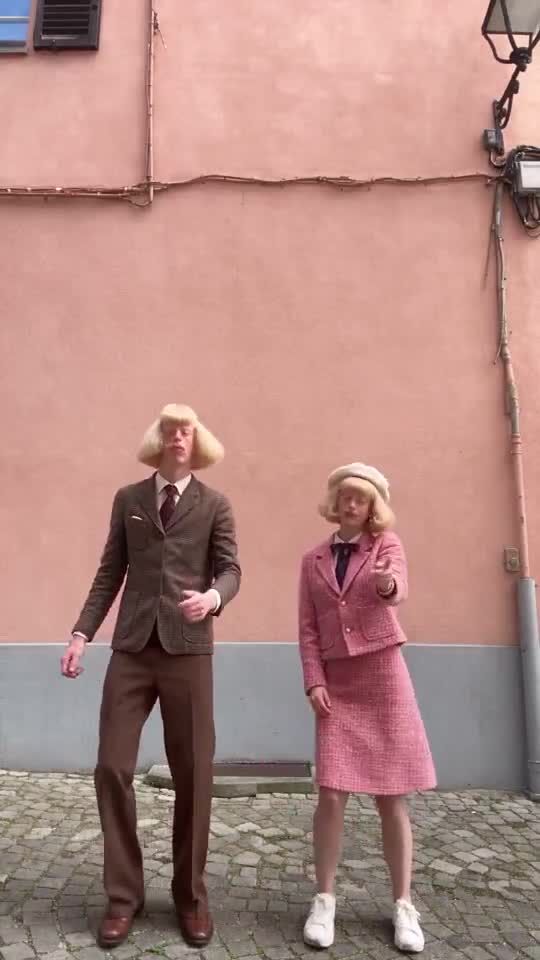 Observed reference · Jean + Clarabelle
03
A recurring person can carry a changing situation.
In the sampled public posts, the street or park and the song change while the distinctive persona and shadowboxing return. The additional reels change the action and company: a paired dance, a hand routine, a courtyard performance and a sparring partner. That gives us a practical format to develop: keep a recognizable lead, then change the situation around them.
The important creative choice is the relationship between the person and the problem. An impossibly formal courier makes a parcel funny. A nightclub bouncer who is much too small for the job makes a doorway interesting. Give your character a belief that can be tested in several places, and the next idea has somewhere to start.
04
Make someone with a face and an ambition of their own.
Our original concept Lucie Loop is an adult woman with wide-set almond eyes, a looped blonde bob, an oxblood tailored suit and emerald loafers. Every entrance is a runway. Ines Brume has an uneven eyebrow line, auburn pin curls and moss-green tweed; she invents etiquette for ordinary café tables. Their imagined rivalry starts with one good chair that both have claimed. The visual decisions and the problem work together.
Use the Jean Phil reference as a spark for that kind of decision. Invent your own name, face, silhouette, costume and motivation. These original concepts are creative examples, not documented members of the source account’s universe. The dedicated how-to guide develops a full original brief and first Clip ideas.
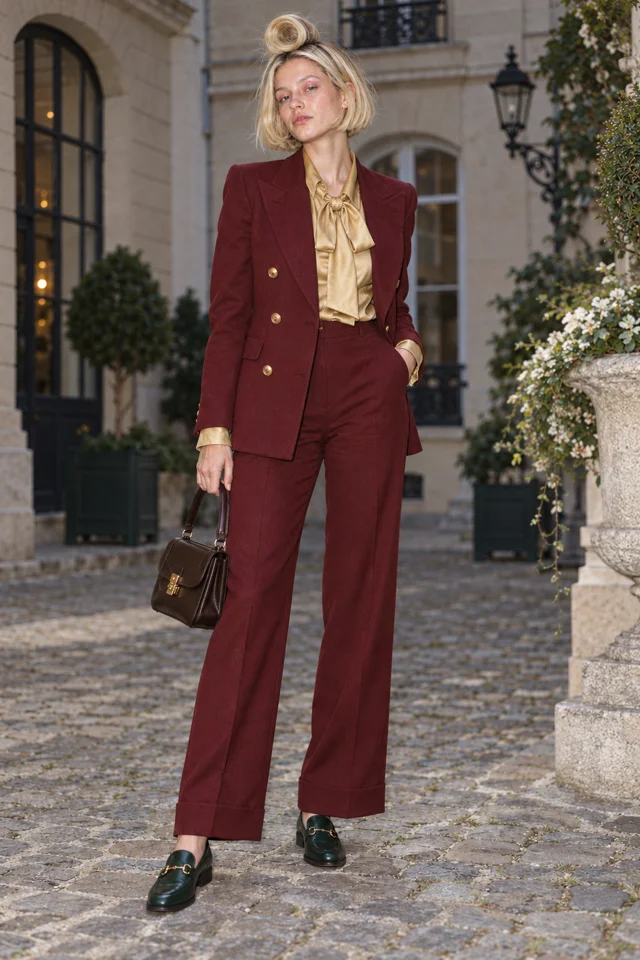
The artwork is our concept example. Your edited brief opens the real Character form; no drawing starts here.
05
Character App starts with the person.
Open New Character, enter a name and write the details a portrait can show: age range, face shape, hair, outfit, silhouette and expression. A photo is optional; words alone can start an original fictional Character. Keep the description focused on the person, and save the revolving door or comic confrontation for the Clip direction.
Choose a Look for a standalone Character. Inside a World, the Character follows the World’s Look. Draw the first result, compare it with your brief and keep the design you want to build on. A saved Character gives subsequent supported Images and Clips a chosen reference, so you can spend your attention on the next action.
Every entrance is a runway.
Live action selected for this walkthrough. Choose your Look in the app; this inspector keeps the original reference artwork.
06
A Clip gives the character something to do.
In the Playground, start with the saved Character reference and one clear event. For Lucie Loop: “She stops at a revolving door, takes her runway stance and waits for the door to present her. Full body, calm expression, steady framing.” The appearance belongs in the Character brief; the movement and situation belong in the Clip direction.
Then try a bus door and an automatic supermarket entrance. The obstacle changes; her conviction remains. Review the face, outfit and action in every result before keeping it. Check the model, settings and displayed generation price before you press. The goal is a run of usable moments with a clear recurring idea.
DIRECT YOUR ORIGINAL CHARACTER
Give your Character one clear action.
Open Playground to make a Clip with a Character reference of your own.
Open Playground ↗CREATOR WORKSPACE PREVIEW
Your Character. Their next move.
Give your original Character a face, a fit and a bit.
Pick an original cast concept to inspect.
01 · ORIGINAL CONCEPT
02 · YOUR CHARACTER
Original cast artwork for this guide. Selecting a concept does not generate a Clip or transfer a performance.
Create my Character ↗03 · CHARACTER PREVIEW
07
A World gives the Cast somewhere to return.
You can explore a Character and one-off Clips before building a larger setting. A World becomes useful when your lead gains a rival, repeated locations and shared story context. Lucie and Ines’s tiny café could have one excellent chair, a teaspoon that must be aligned and a waiter who refuses to choose a winner. Now the setting and relationship can produce several different situations.
Character App brings the Cast, World and Story work together. Build the people and place, then develop a beginning, a complication and a payoff. A Clip captures one event; a Story connects events into something you can direct and review. Start with a simple conflict before adding seasons of lore.
SCENE 1An entrance
Lucie Loop makes a perfectly serious entrance.
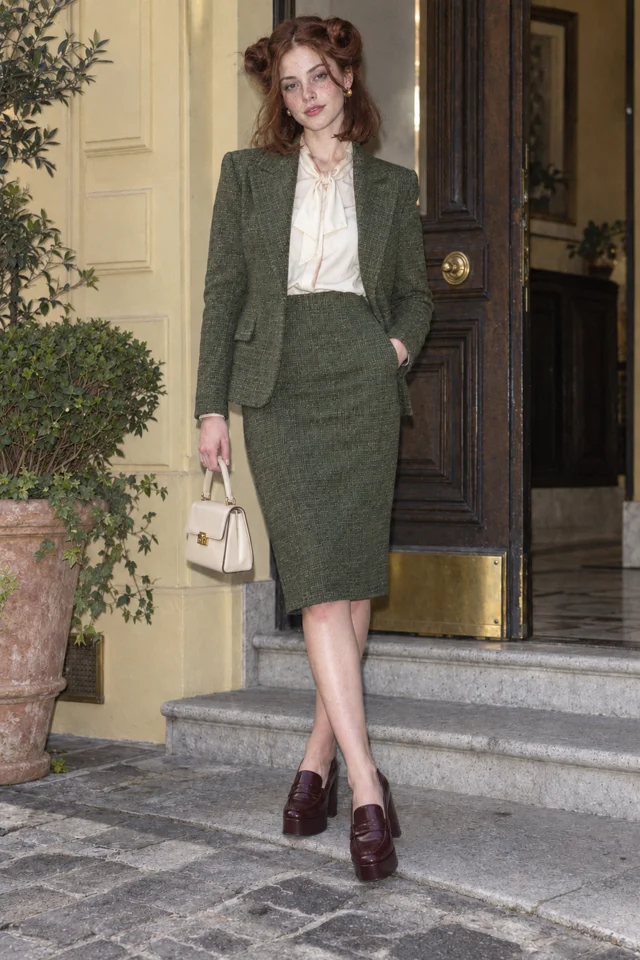 SCENE 2
A complication
Ines Brume has already claimed the good chair.
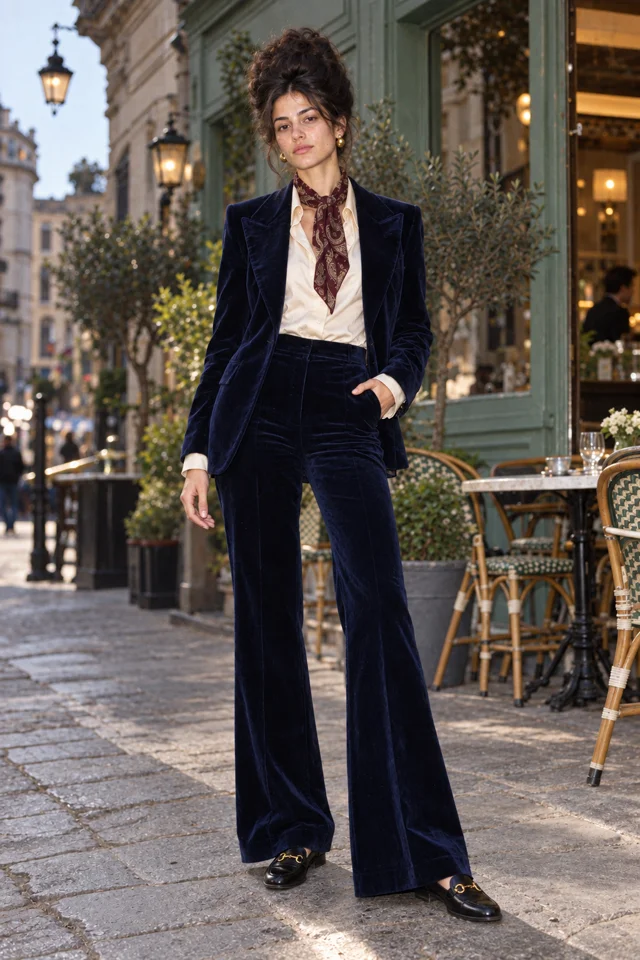 SCENE 3
A next episode
Sofia Velluto turns a small errand into a new episode.
Original artwork and illustrative Scene cards · not generated Film frames.
Start my World ↗08
Follow the reference. Then start your own Character.
Watch the linked source performances, choose the part of the creative structure that interests you and give it a different identity. If the look is your starting point, use the design-formula page. If you want repeated short scenes, use the recurring-clips page. The rival and World guides help you add other people and places around the lead.
When you are ready to make someone, the Character form is the first practical stop. The original brief can arrive in the description field ready for your edits. Choose a name, refine the visible details, draw and keep a result. That first Character is the start of your own recurring cast.
Things you’re wondering.
Is Jean Phil AI?
Press says yes. Early Game calls him a confirmed AI character and Know Your Meme lists him as an AI-generated French internet persona. The first post was on 17 September 2026 and the account passed 228,000 followers within days. Character App cannot confirm which tools made his clips, and we do not attribute them to a particular model or app.
Who is behind Jean Phil?
The creator has not been publicly identified in the press we checked. The account is @jean_philanthrope, and its bio links to a $JEANPHIL meme coin. Character App does not endorse that coin or any token.
What makes Jean Phil recognizable?
In the sampled footage, the blond bob, curled moustache, brown patterned suit, serious expression and returning physical action make a clear persona. The relationship between a composed character and a playful action is our creative reading of the format.
Who is dancing with Jean Phil in the reference?
The paired-dance clip is labeled Jean + Clarabelle and comes from the linked @clarabelle.paris reel. That source establishes the performance shown here, rather than a shared creator or an official universe.
How can I make a character like Jean Phil in Character App?
Invent an original name, face, costume and recurring behavior. Create the Character from words, choose a Look and keep a reference. Use a supported Character reference for your first Image or Clip, then add a World when the Cast and Story grow.
Do I need a World to start?
No. Start with a standalone Character and explore supported Images or Clips in the Playground. A World is useful when you want recurring people, places and Story context together.
Checked sources.
- Early Game: This influencer does not exist (Jean Phil) ↗
- Know Your Meme: Jean Philanthrope / Jean Phil ↗
- Jean Phil public Instagram profile ↗
- Jean Phil: park shadowboxing post, 19 September 2026 ↗
- Jean Phil: street shadowboxing post, 18 September 2026 ↗
- Jean + Clarabelle paired dance — reel from @clarabelle.paris ↗
- Jean + Clarabelle hand dance by an office frontage — reel from @clarabelle.paris ↗
- Jean tower-courtyard shadowboxing — reel from @clarabelle.paris ↗
- Jean in a park sparring duo — reel from @arthur_teddington ↗
Explore the app.
- PLAYBOOK · The Jean Phil playbook ↗